Minecraft Patch Download 1.21 81
Minecraft 1.21.81 is a Bedrock Edition hotfix released on May 14, 2025. It addressed several issues found after the 1.21.80 update. The patch focused on graphics, gameplay, performance, stability, and technical fixes. Minecraft 1.21.81 is a Bedrock release, not a Java Edition 1.21.81 release.
Is Minecraft 1.21.81 still available?
You can access Minecraft 1.21.81 through official Bedrock distribution channels when your platform supports it. Availability can depend on your device, platform, account, and store. Always use the official Minecraft or platform store for updates.
What does this update fix?
Minecraft 1.21.81 fixed several important Bedrock issues. It corrected unsupported Vibrant Visuals behavior and specific iOS graphics distortion. It also fixed excessive swimming slowdown. The patch addressed crashes involving leashed entities and certain resource packs.
What Is Minecraft Bedrock 1.21.81?
Release Date and Update Purpose
Minecraft Bedrock 1.21.81 launched on May 14, 2025. Mojang released it as a small hotfix after Bedrock 1.21.80. The update did not introduce a major content drop. Instead, it targeted problems affecting gameplay, graphics, stability, and technical systems. It improved the experience for players affected by specific bugs. The official changelog lists fixes for graphics behavior, swimming slowdown, crashes, resource packs, and creator tools.
Minecraft 1.21.81 vs Java Edition
Minecraft 1.21.81 belongs to Bedrock Edition. It supports platforms such as Android, iOS, Windows, consoles, and Nintendo Switch. Java Edition follows a separate version system and does not have a Java 1.21.81 release. Therefore, check your Minecraft edition before downloading or updating. This prevents version confusion and compatibility problems. If you play Java Edition, do not search for a “Java 1.21.81 download.”
Minecraft 1.21.81 Features and Changes
Were New Features Added?
Minecraft 1.21.81 did not introduce a major set of new gameplay features. Mojang released it mainly as a Bedrock hotfix. The update focused on correcting problems found after the 1.21.80 release. These fixes improved graphics, gameplay, stability, and technical behavior. Therefore, readers should not confuse 1.21.80 features with changes introduced in 1.21.81.
Graphical Improvements
Minecraft 1.21.81 fixed an issue involving Vibrant Visuals. The feature could appear in worlds that did not support it correctly. The patch corrected this behavior and improved visual compatibility. Mojang also fixed pixelated graphical distortion affecting certain iOS devices. These changes helped affected players get a cleaner and more consistent display. They also reduced confusion around unsupported visual features.
Gameplay Improvements
The update also fixed a swimming-related gameplay problem. Players could experience excessive slowdown when they hit blocks while swimming. This behavior made movement feel unusually slow and affected normal exploration. Minecraft 1.21.81 corrected the issue. Players could then move through water more normally when interacting with blocks. This was a small fix, but it improved everyday Bedrock gameplay.
Minecraft 1.21.81 Patch Notes and Bug Fixes
Graphics Fixes
Minecraft 1.21.81 corrected several visual issues in Bedrock Edition. It fixed Vibrant Visuals appearing incorrectly on unsupported worlds. Mojang also addressed pixelated distortion affecting certain iOS devices. These fixes improved visual consistency across supported devices. They also helped prevent players from seeing graphical effects that their worlds or devices could not properly support.
Gameplay Fix
The patch fixed excessive slowdown when players hit blocks while swimming. This issue could make underwater movement feel unusually slow. Minecraft 1.21.81 corrected the behavior and restored more normal movement during underwater block interaction.
Crash and Stability Fixes
Stability fixes form an important part of the 1.21.81 patch. Mojang fixed a crash that could occur while loading worlds containing leashed entities. This matters for worlds that use mobs with leash connections.
The update also fixed a crash linked to specific resource packs. The problem could appear after activating packs containing SplashPotChange and LingeringPotChange. These fixes reduce unexpected crashes and make affected worlds more reliable. Players using custom content can therefore benefit from the stability improvements.
API and Component Fixes
Minecraft 1.21.81 also included several fixes for creators and developers. Mojang corrected an issue involving the beforeOnPlayerPlace scripting event. The update also fixed scripting API privilege behavior.
The patch corrected problems with the minecraft:leashable component. It also fixed runtime component-group updates and leashable presets. These changes mainly affect add-on and scripting developers rather than regular players. However, they can improve the reliability of custom Minecraft content.
Discover the latest features and updates in Minecraft Patch 1.21.100.
Minecraft 1.21.81 Download – Supported Platforms
Android
Android users can update Minecraft through Google Play. Open the official Minecraft listing and select Update when available. Your device should also meet Minecraft’s current compatibility requirements. Mojang lists Android among the supported Bedrock platforms.
iPhone and iPad
On iPhone or iPad, use the Apple App Store to update Minecraft. Version 1.21.81 also fixed pixelated distortion affecting specific iOS devices.
Windows
Windows players can update Minecraft through the Microsoft Store. Minecraft’s official instructions direct Windows users to the Store’s Library section for updates. Windows later received a separate 1.21.82 hotfix, so do not confuse both releases.
Xbox, PlayStation, and Nintendo Switch
Bedrock Edition also supports Xbox, PlayStation, and Nintendo Switch. Each platform uses its own official update system. Check the console’s game library or update settings when a new Minecraft version becomes available.
Why Official Sources Matter
Use official Minecraft stores and platform services for downloads. Avoid modified APKs, unofficial launchers, and pirated copies. Official sources reduce security risks and provide genuine game updates.
How to Minecraft Patch Download 1.21 81
Before Updating
Before updating, confirm that you use Minecraft Bedrock Edition. Check your current game version from the Minecraft main menu. Back up important worlds before installing any update. Make sure your device has enough free storage for the game update. A stable internet connection also helps prevent interrupted downloads or failed installations. Use official stores and update services whenever possible.
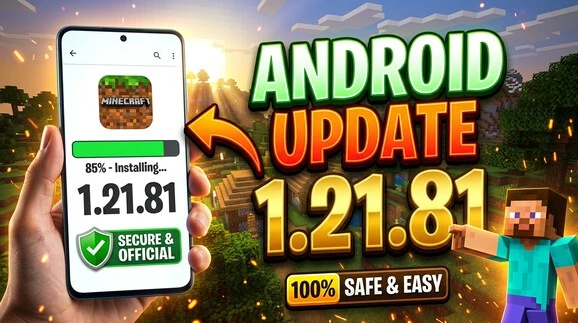
Android Download and Update
Android users can update Minecraft through Google Play.
- Open the Google Play Store.
- Search for Minecraft.
- Open the official Minecraft listing.
- Select Update if the option appears.
- Wait for the update to finish installing.
- Launch Minecraft after installation.
- Check the displayed game version.
If the Update button does not appear, the update may already be installed. Availability can also vary by device and store rollout.
Other Bedrock Platforms
Windows users can update Minecraft through the Microsoft Store. Xbox players can check Minecraft under their games and updates. PlayStation users can select Minecraft and choose the option to check for updates. Nintendo Switch players can use the console’s software update option. On iPhone and iPad, update Minecraft through the Apple App Store. These official methods help install the correct Bedrock version.
Verify the Installed Version
Launch Minecraft and check the version shown on the main screen. Confirm that it displays 1.21.81 before troubleshooting the update. If another version appears, restart the game and check for updates again. Remember that later releases, such as 1.21.82, are separate versions.
Minecraft 1.21.81 Android Installation Guide
Official Android Installation
The safest way to install Minecraft 1.21.81 on Android is through Google Play. Open the Google Play Store and search for Minecraft. Select the official Minecraft listing and check the available option. If you are installing Minecraft for the first time, follow the store’s purchase and installation steps. If Minecraft is already installed, you may see an Update button instead. Use the official store to receive the genuine Bedrock release.
Updating an Existing Installation
Updating an existing Minecraft installation is simple.
- Open Google Play on your Android device.
- Search for Minecraft.
- Open the official Minecraft listing.
- Tap Update when available.
- Wait for the installation to finish.
- Launch Minecraft.
- Check the version shown on the main screen.
If the update option does not appear, Minecraft may already be updated. You can also check again later if the release has not reached your device.
What About Minecraft 1.21.81 APK Files?
The term Minecraft 1.21.81 APK is commonly searched by Android users. However, an APK found on a third-party website is not automatically an official Minecraft release. Unofficial APK files may be modified, outdated, bundled with unwanted software, or unsafe.
For this reason, use Google Play for your Android installation whenever possible. Avoid pirated copies, modified APKs, and unofficial launchers. Do not treat a third-party APK as an official Mojang release. The official store provides a safer way to install and update Minecraft while reducing version and security risks. This approach also helps ensure that your game matches the supported Bedrock release.
Minecraft 1.21.80 vs 1.21.81
What Changed From 1.21.80?
Minecraft Bedrock 1.21.80 was a broader update with gameplay and world-generation changes. It introduced features such as Flat World presets and included many gameplay, graphics, and stability fixes. Minecraft 1.21.81 followed shortly after as a smaller Bedrock hotfix. It focused on correcting problems found after the 1.21.80 release. These included incorrect Vibrant Visuals behavior, iOS graphics distortion, swimming slowdown, world-loading crashes, and resource-pack crashes. The update also addressed several scripting and component issues. Therefore, 1.21.81 should be viewed mainly as a corrective patch rather than a major content update.
Which Version Should You Use?
Use the latest official Bedrock version available for your platform. This normally provides the newest fixes and compatibility improvements. If you are specifically researching Minecraft 1.21.81, remember its historical role as a hotfix for issues affecting the 1.21.80 release. Version numbers can also differ by platform and later updates.
Is 1.21.81 Better Than 1.21.80?
Yes, for players affected by the bugs fixed in 1.21.81. It corrected several problems from the earlier Bedrock release. However, 1.21.81 did not replace 1.21.80 as a major content update. It mainly improved stability, graphics, gameplay behavior, and technical compatibility.
Minecraft 1.21.81 vs 1.21.82
What Was Fixed in 1.21.82?
Minecraft Bedrock 1.21.82 was a separate Windows hotfix released on May 19, 2025. It addressed a specific crash that could occur when loading worlds containing a high number of custom blocks. This fix was separate from the issues addressed in 1.21.81. Therefore, do not attribute the 1.21.82 custom-block crash fix to Minecraft 1.21.81.
Should You Install 1.21.82 Instead?
Do not confuse Minecraft 1.21.81 with 1.21.82. They were separate Bedrock releases with different fixes. Version availability also depends on the platform and its update rollout. If your platform offers a newer official Minecraft version, use that version rather than manually trying to install an older hotfix. Windows players should follow the official update offered through their platform. Other Bedrock platforms may follow different version paths. Always check the version shown by your official store or Minecraft installation before troubleshooting.
Minecraft 1.21.81 Compatibility and Common Problems
Version Compatibility
Minecraft 1.21.81 is a Bedrock Edition release. Compatibility can vary between Android, iOS, Windows, Xbox, PlayStation, and Nintendo Switch. Worlds should be compatible with the installed Bedrock version, but custom content can behave differently after updates. Resource packs and add-ons may also require compatible versions. Always match your game version with the content you use.
Common Update Problems
Some players may not see the update immediately. Store rollouts and platform availability can vary. Installation can also fail because of limited storage or connection problems. Game crashes may occur when incompatible resource packs or add-ons are active. If an older version still appears, the update may not have completed or your platform may still show cached information.
What Should You Do If Minecraft Will Not Update?
Restart your device and check the official store again. Make sure you have enough free storage and a stable internet connection. Check for pending system or store updates as well. If Minecraft still will not update, use the official Minecraft Help Center for platform-specific troubleshooting and support.
Frequently Asked Questions About Minecraft 1.21.81
Is Minecraft 1.21.81 Bedrock or Java?
Minecraft 1.21.81 is a Bedrock Edition release. It is not a Java Edition version, so Java players should not search for a Java 1.21.81 download.
When Was Minecraft 1.21.81 Released?
Minecraft Bedrock 1.21.81 was released on May 14, 2025 as a small hotfix following the 1.21.80 update.
Can I Download Minecraft 1.21.81 on Android?
Yes. Android users can install or update Minecraft through Google Play when the official version is available for their device.
Is Minecraft 1.21.81 a Major Update?
No. Minecraft 1.21.81 was mainly a Bedrock hotfix. It focused on bug fixes, stability, graphics, gameplay behavior, and technical improvements.
What Did Minecraft 1.21.81 Fix?
It fixed Vibrant Visuals behavior, iOS graphics distortion, swimming slowdown, world-loading crashes, resource-pack crashes, and several scripting and component issues.
Does Minecraft 1.21.81 Fix Vibrant Visuals Problems?
Yes. The update fixed an issue where Vibrant Visuals could appear on worlds that did not correctly support the feature.
Does Minecraft 1.21.81 Fix the Swimming Slowdown Bug?
Yes. It fixed excessive slowdown that could happen when players hit blocks while swimming.
Is Minecraft 1.21.81 Still Available?
It was an official Bedrock release, but newer versions may now be offered by your platform. Use the latest official version available rather than an unofficial download.
What Is Minecraft 1.21.82?
Minecraft 1.21.82 was a separate Windows Bedrock hotfix released on May 19, 2025. It fixed a crash when loading worlds with many custom blocks.