Minecraft Patch 1.21.100 Download
Minecraft Patch 1.21.100 is a Bedrock Edition update released on August 5, 2025. It brought new features, gameplay changes, fixes, and technical improvements to supported devices. The update does not apply to Minecraft Java Edition.
You can update Minecraft through your device’s official store or platform. Android players can use Google Play to update the game. Windows players can use the Microsoft Store or Minecraft Launcher. Console players can use their platform’s normal update system. Minecraft also provides official download and update resources for supported platforms.
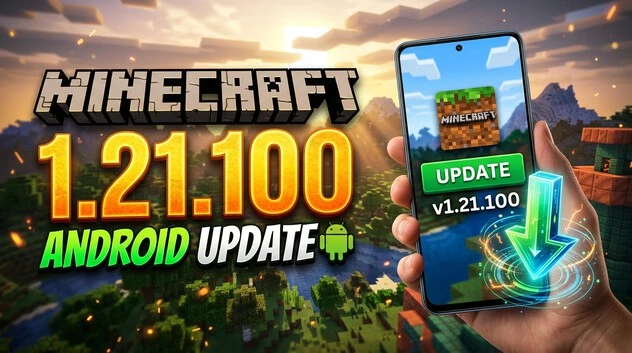
The 1.21.100 update added several notable changes. These include Copper-related features, world-generation updates, gameplay fixes, and visual improvements.
This guide explains Minecraft Patch 1.21.100 Download options and Android installation. It also covers the update’s major features, fixes, supported platforms, and important version details.
What Is Minecraft Patch 1.21.100?
Minecraft Patch 1.21.100 is a Bedrock Edition update from Mojang Studios. It released on August 5, 2025. The update followed Minecraft Bedrock 1.21.90, which introduced the Chase the Skies features.
Minecraft 1.21.100 Release Date
The official Minecraft 1.21.100 release date was August 5, 2025. It continued the Bedrock update series after version 1.21.90.
The update focused on new gameplay features, world changes, visual improvements, touch controls, and bug fixes. It also included experimental Copper features for players who enabled Experimental Features.
Is Minecraft 1.21.100 Java or Bedrock?
Minecraft 1.21.100 is a Bedrock Edition version, not a Java Edition version. This distinction matters when downloading or updating Minecraft.
Bedrock Edition runs on platforms such as Android, iOS, Windows, Xbox, PlayStation, and Nintendo Switch. Java Edition uses a separate version system and is mainly designed for PC.
Always select the correct edition and version for your device. Using the wrong version can cause update, compatibility, or installation problems.
Minecraft 1.21.100 Download and Update Options
Official Download and Update Methods
The safest Minecraft 1.21.100 download method is through the official store or platform connected to your device. Minecraft provides different update routes for each supported platform.
- Android: Open Google Play and check for a Minecraft update.
- iPhone and iPad: Use the Apple App Store to update Minecraft.
- Windows: Open Microsoft Store and check for available updates.
- Xbox: Check Minecraft through the console’s games and apps update section.
- PlayStation: Check for updates from the Minecraft game menu.
- Nintendo Switch: Open Minecraft or check for updates through the console.
- Minecraft Launcher: Use the official launcher where applicable.
These methods provide the proper Minecraft 1.21.100 Bedrock download or update for supported devices.
Why Use Official Sources?
Use official sources whenever you download or update Minecraft. They provide the correct game files and supported version for your platform.
Official stores also reduce the risk of modified or unauthorized files. They help protect your Minecraft account, purchases, worlds, and game data.
Avoid websites offering modified Minecraft APKs or unofficial game packages. Such files can create security and compatibility problems.
For the official Minecraft 1.21.100 download, use Minecraft’s official download page or your device’s approved store.
Check Your Installed Version
After updating, open Minecraft and check the version shown on the Bedrock Edition screen. Confirm that the installed version matches your intended release.
If the update does not appear, check your store for pending updates. You can also restart the store or device and check again.
How to Install Minecraft 1.21.100 on Android
If you are looking for Minecraft 1.21.100 Android installation, the safest method is Google Play. You do not need an unofficial APK to update a legitimate Minecraft installation.
Update Minecraft Through Google Play
Follow these steps to update Minecraft on an Android device:
- Open the Google Play Store on your Android phone or tablet.
- Search for Minecraft using the official game listing.
- Open the Minecraft page and check for an available update.
- Select Update if the button appears.
- Wait for Google Play to download and install the update.
- Launch Minecraft after the installation finishes.
- Check the displayed Bedrock version to confirm the update.
Minecraft’s official mobile update guidance directs Android users to Google Play for updates.
If the Update Does Not Appear
Sometimes an update may not appear immediately. First, check your internet connection and available storage space.
Make sure Minecraft is already installed and associated with your Google account. You can also restart Google Play or restart your device.
Then open Google Play again and check the Minecraft listing. If the update is still unavailable, check again later.
Manual Mobile Update
Minecraft also provides official instructions for manually updating the game on mobile devices. These instructions cover Android and iOS update methods through their respective app stores.
Avoid Unofficial APK Downloads
Searches for Minecraft 1.21.100 APK may return modified or unauthorized files. Avoid installing these packages.
They may not match the official Bedrock release and can create security, compatibility, or account problems. For a legitimate Minecraft 1.21.100 Android download, use Google Play or Minecraft’s official download resources.
Minecraft 1.21.100 on Windows PC
Windows players can get Minecraft 1.21.100 through the Microsoft Store when that Bedrock release is available for their installation. The official Windows update route uses the Microsoft Store.
Update Through Microsoft Store
Follow these steps to check for a Minecraft update:
- Open Microsoft Store on your Windows PC.
- Select Library from the side menu.
- Choose Get updates or check for available updates.
- Find Minecraft and allow the update to install.
- Open Minecraft after the installation finishes.
- Check the displayed version to confirm the update.
Microsoft’s official update instructions direct Windows players to the Microsoft Store for Minecraft updates.
Minecraft Launcher and Bedrock
Minecraft Bedrock is the Windows version designed for cross-platform play with other Bedrock devices. It is different from Minecraft Java Edition, which uses its own version numbering and update system.
Windows players can have both Java and Bedrock Edition through the official Minecraft PC package. However, Minecraft 1.21.100 is specifically a Bedrock version.
If you are searching for a Minecraft 1.21.100 Windows download, confirm that you are updating Bedrock rather than Java Edition.
Minecraft 1.21.100 on Xbox, PlayStation, and Nintendo Switch
Minecraft Bedrock updates are delivered through each console’s normal update system. The exact menu names can vary slightly by console version.
Xbox
On Xbox, open My Apps & Games and select Minecraft. Choose Manage game & add-ons, then check the Updates section. Install the available Minecraft update if one appears.
PlayStation
PlayStation can update Minecraft automatically when automatic updates are enabled. If the update does not appear, highlight Minecraft on the home screen and check for an update manually.
Nintendo Switch
On Nintendo Switch, launch Minecraft and check whether an update is available. You can also check for updates through the system’s software update option or Nintendo eShop when necessary.
These steps follow Minecraft’s official platform update guidance. The update process installs the version supported by your console and Minecraft account.
If you are specifically looking for Minecraft 1.21.100 on console, make sure your Minecraft installation is using the Bedrock Edition. Version availability can also depend on the update being offered by the platform.
Explore the latest features, improvements, and updates included in Minecraft Patch 1.21.81.
Minecraft 1.21.100 Features and Major Changes
Minecraft 1.21.100 introduced several Bedrock changes across gameplay, world generation, visuals, and controls. Some Copper features were experimental in this release.
Copper Golem
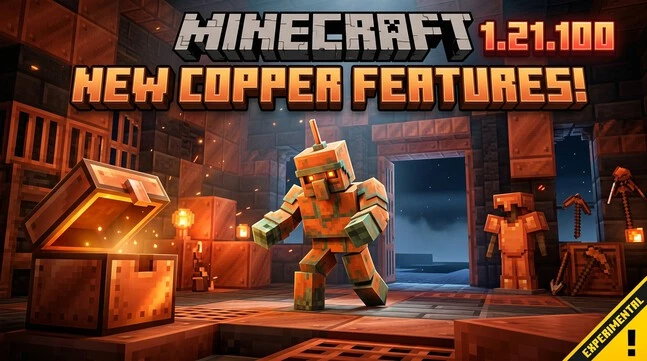
The Copper Golem was included as an experimental feature in Minecraft 1.21.100. It works with Copper Chests and provides a new way to interact with stored items.
Players must enable the relevant Experimental Features option to test these Copper additions. They should not be treated as standard features of every 1.21.100 world.
Copper Chest
The Copper Chest adds another storage option connected to the Copper Golem. It can interact with the golem’s item-sorting behavior.
Like the Copper Golem, this feature belonged to the experimental content included with the update.
Copper Tools and Copper Armor
Minecraft 1.21.100 also introduced Copper Tools and Copper Armor as experimental features. These additions expanded the available Copper equipment and gave players another equipment tier to explore.
The official changelog confirms these Copper additions while noting their experimental nature.
The Void Flat-World Preset
The update added The Void as a flat-world preset. This provides a simple world-generation option for players who want a largely empty starting environment.
It is useful for focused building and custom world setups without changing the standard world-generation experience.
7.5 End Spawn Point and Commands
Minecraft 1.21.100 added changes related to setting a spawn point in The End through commands. This gives command users more control over where players can respawn in that dimension.
Vibrant Visuals and Touch Improvements
The update continued improvements to Vibrant Visuals and addressed related visual issues. It also included changes for touch controls, improving the experience on supported mobile devices.
World Generation and Gameplay Changes
The release included biome and world-generation adjustments, alongside gameplay fixes. These changes improved specific behaviors and addressed issues found in earlier Bedrock versions.
The official changelog contains the complete technical list, while the main player-facing changes focus on Copper features, world options, visuals, controls, and gameplay fixes.
Minecraft 1.21.100 Bug Fixes, Performance, and Stability
Minecraft 1.21.100 included a broad set of bug fixes and stability improvements. These changes addressed gameplay, visuals, controls, crashes, and technical systems.
Gameplay Bug Fixes
The update corrected several gameplay issues. These included problems with boats, item switching, block-breaking animations, music, mobs, and player interactions. It also improved how some entities behave between dimensions.
Crash and Stability Fixes
The patch fixed rare crashes and other stability problems. For example, Xbox received a fix for cloud saves that could grow excessively after repeated saves. Rare crashes during Xbox app suspension were also addressed.
Visual and Touch-Control Fixes
Minecraft 1.21.100 fixed several Vibrant Visuals issues. These included incorrect effects, textures, lighting behavior, and first-person rendering problems.
Touch controls also received practical fixes. The Pick Block button became available in additional situations, while camera controls received improvements for supported modes.
Technical and Add-On Improvements
The update also changed parts of the Bedrock API, Add-Ons, and Script Engine. Several creator tools moved into newer API versions, while biome definitions and identifiers received updates.
These changes mainly affect creators and custom content. They can still improve compatibility and reduce errors for supported add-ons and behavior packs.
Experimental Features in Minecraft 1.21.100
Minecraft 1.21.100 included several experimental features that players could test before their wider release. This distinction is important because experimental content does not work like standard Bedrock features.
The Copper Golem, Copper Chest, Copper Tools, and Copper Armor were part of the experimental content in this update. Players needed to enable the relevant Experimental Features option when creating or managing a world.
Experimental features can change during development. Their behavior may differ from stable gameplay, and some features may later be changed, replaced, or removed.
Players should also consider compatibility and stability before enabling experimental content. Experimental settings can affect how a world behaves, especially when combined with other experimental options, add-ons, or custom content.
For this reason, do not describe the Copper Golem or related Copper equipment as universally available stable features of every Minecraft 1.21.100 world.
If you want the standard Bedrock experience, keep the experimental options disabled unless you specifically want to test these features.
Minecraft 1.21.100 vs 1.21.101 Hotfix
10.1 What Was Minecraft 1.21.101?
Minecraft 1.21.101 was a Bedrock hotfix released on August 13, 2025, shortly after 1.21.100. Mojang released it to address problems found after the previous update.
The hotfix addressed several crashes and other issues. These included a crash related to treatment packs, problems affecting Firefly Bushes, bundle and hopper behavior, and certain PlayStation 5 download issues.
Does 1.21.101 Replace 1.21.100?
Minecraft 1.21.101 did not erase or invalidate the Minecraft 1.21.100 update. It was a follow-up Bedrock release that fixed issues discovered after 1.21.100.
This means Minecraft 1.21.100 remains the original release version and an important search term for its features and patch notes. Version 1.21.101 represents the subsequent hotfix.
If your device offers 1.21.101 instead of 1.21.100, the newer hotfix may provide a more stable version of the same update line.
FAQs About Minecraft Patch 1.21.100 Download
Is Minecraft 1.21.100 a Bedrock Edition update?
Yes. Minecraft 1.21.100 is a Bedrock Edition update from Mojang Studios. It is not a Java Edition version and uses Bedrock’s platform-specific update system.
When was Minecraft 1.21.100 released?
Minecraft Bedrock 1.21.100 was officially released on August 5, 2025. It followed the earlier Bedrock 1.21.90 update.
How can I download Minecraft 1.21.100 on Android?
Open Google Play, find the official Minecraft listing, and select Update when available. This is the recommended Android update method.
Can I install Minecraft 1.21.100 through Google Play?
Yes. Android users can update their legitimate Minecraft installation through Google Play. The available version depends on the updates offered for the device.
How do I update Minecraft 1.21.100 on Windows?
Open Microsoft Store, select Library, and check for updates. Install the available Minecraft Bedrock update before launching the game.
Is Minecraft 1.21.100 available on consoles?
Yes. Minecraft Bedrock supports Xbox, PlayStation, and Nintendo Switch. Console updates are delivered through each platform’s normal software update system.
What was added in Minecraft 1.21.100?
The update included Copper-related experimental features, The Void flat-world preset, visual improvements, touch-control changes, world-generation adjustments, and gameplay fixes.
Is the Copper Golem a stable feature in 1.21.100?
No. The Copper Golem was included as an experimental feature. Players needed to enable Experimental Features to test it in their worlds.
What is Minecraft 1.21.101?
Minecraft 1.21.101 was a follow-up Bedrock hotfix released on August 13, 2025. It addressed crashes and other issues found after 1.21.100.
Should I use an unofficial Minecraft 1.21.100 APK?
No. Avoid unofficial or modified APK files. Use Google Play or Minecraft’s official download resources for a safer and legitimate installation.