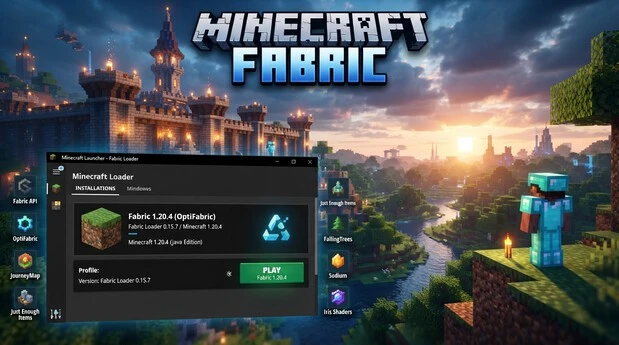
Minecraft Fabric
Minecraft Fabric is a lightweight mod loader for Minecraft Java Edition. It lets players run compatible Minecraft mods with a simple setup. Fabric Loader loads these mods when Minecraft starts and manages their connection with the game. Many players choose Fabric because it supports a large and active modding ecosystem. Popular projects cover performance, graphics, utilities, and gameplay changes. This guide explains how Fabric works and where to download it safely. You will also learn how to install Fabric Loader, add Fabric API, and install compatible mods. Finally, we cover version matching and common installation problems.
What Is Minecraft Fabric?
Fabric in Simple Terms
Fabric is a lightweight modding toolchain for Minecraft: Java Edition. It helps players run mods that change or extend the game. FabricMC is the project behind this toolchain. Its ecosystem includes Fabric Loader, Fabric API, and other development tools. Fabric Loader acts as the mod loader for Minecraft. It starts mods during the game’s launch process. Mods can add features, change mechanics, or improve existing systems. Fabric focuses on keeping its loader lightweight and flexible. The official Fabric documentation describes it as a modding toolchain for Java Edition.
Fabric Loader vs Fabric API
Fabric Loader and Fabric API serve different purposes. Fabric Loader loads compatible mods and manages their startup process. It also handles mod dependencies and initialization. Fabric API provides common hooks, events, and utilities for mods. Many Fabric mods use these features to interact with Minecraft. Therefore, Fabric API does not replace Fabric Loader. Instead, they often work together. A mod may require Fabric API as an additional dependency. The exact requirement depends on the individual mod.
Who Should Use Fabric?
Fabric suits players who want to run Minecraft Java Edition mods. It works well for players seeking performance, utility, visual, or gameplay changes. Always choose mods that match your Minecraft and Fabric versions.
Minecraft Fabric Latest Version and Fabric Loader
Current Minecraft and Fabric Compatibility
Minecraft 26.3 is the current Minecraft release covered by Fabric’s latest official announcement. Fabric published its 26.3 support information on September 15, 2026. The release notes identify Fabric Loader 0.19.5 as the current stable loader for Minecraft 26.3.
Minecraft 26.3 includes technical changes that can affect mods and their compatibility. Fabric also advises players to give mod developers time to update their projects. Make a backup of important worlds before switching versions.
Fabric compatibility depends on more than installing the loader. Each mod must support your Minecraft version and Fabric environment. Check the mod’s supported versions before adding it to your setup.
Latest Stable Fabric Loader
For Minecraft 26.3, Fabric’s official release information currently lists Fabric Loader 0.19.5 as the latest stable version.
Always choose the loader that matches your Minecraft version. A newer loader does not automatically make older mods compatible. Check Fabric’s official installer and the mod’s version requirements before installation.
Why Exact Version Matching Matters
Fabric setups use several compatibility points:
- Minecraft version: The game version your installation runs.
- Fabric Loader version: The loader that starts Fabric mods.
- Mod version: The specific release built for your Minecraft version.
- Dependencies: Extra libraries or APIs required by a mod.
If these versions conflict, Minecraft may show an error or crash during startup.
Minecraft Fabric Download: Official Installer
Where to Download Fabric Safely
Download Minecraft Fabric from the official Fabric website. Fabric also provides official player documentation for downloading and installing the loader. These sources help you avoid modified installers and unreliable third-party download pages. Fabric’s documentation covers the official Minecraft Launcher and provides separate installation guides for Windows, macOS, and Linux.
Choose the Correct Installer and Minecraft Version
The Fabric Installer creates a Fabric profile for your selected Minecraft version. During installation, choose the Minecraft version you plan to play with mods. The installer then installs the appropriate Fabric Loader for that setup. Afterward, the Minecraft Launcher shows the Fabric profile as a selectable installation.
Always check your target Minecraft version before installing. Your mods must also support that same game version and Fabric environment. Fabric’s official site provides the loader download, while its documentation explains the installation process.
Windows, macOS, and Linux Differences
Windows users can use the .exe Fabric Installer, which uses Java bundled with the official Minecraft Launcher. macOS and Linux users can use the universal .jar installer. Those systems may require Java to run the installer.
How to Install Fabric on Minecraft Java Edition
Before Installation
Make sure you have Minecraft Java Edition installed through the official Minecraft Launcher. Close Minecraft and the Launcher before starting. Decide which Minecraft version you want to mod. Choose the same version in the Fabric Installer. Fabric’s official guide targets the official Minecraft Launcher.
Windows Installation
Windows provides the simplest Fabric installation route. The official Fabric Installer uses an .exe file.
- Download the Fabric Installer from the official Fabric website.
- Open the Windows .exe installer.
- Select the Minecraft version you want to use.
- Keep Create Profile enabled.
- Click Install.
- Wait for the installation to finish.
- Open the Minecraft Launcher.
- Select the new Fabric profile from the version dropdown.
- Click Play to launch Minecraft with Fabric.
The Windows installer does not require a separate Java installation. It uses Java bundled with the official Minecraft Launcher.
macOS Installation
macOS uses the Universal .jar version of the Fabric Installer. You may need Java before running this file.
- Download the Universal .jar Fabric Installer.
- Close Minecraft and the Minecraft Launcher.
- Open the downloaded installer.
- Select your desired Minecraft version.
- Make sure Create Profile remains checked.
- Click Install.
- Open the Minecraft Launcher after installation finishes.
- Select the Fabric profile from the version dropdown.
- Click Play.
macOS may show a security warning for the .jar file. Fabric documents an option to allow the file through Privacy & Security settings.
Linux Installation
Linux also uses the Universal .jar Fabric Installer. Java may be required to run it.
- Download the Universal .jar Fabric Installer.
- Close Minecraft and the Minecraft Launcher.
- Open a terminal in the installer location.
- Run the installer with Java.
- Select your desired Minecraft version.
- Keep Create Profile enabled.
- Click Install.
- Open the Minecraft Launcher.
- Select the new Fabric profile.
- Click Play.
The official Linux guide provides the java -jar fabric-installer.jar command for launching the installer.
Confirm the Fabric Profile
Open Minecraft Launcher and check the version dropdown. Fabric should appear as an available profile. Select it before launching Minecraft.
How to Install Fabric API
What Fabric API Does
Fabric API is a library that provides common hooks and features for Fabric mods. It helps mods interact with Minecraft through shared APIs. Fabric Loader loads and initializes mods, while Fabric API provides functionality that many mods depend on. Not every Fabric mod requires Fabric API. Check each mod’s dependency list before installing it.
Download the Correct Fabric API Version
Choose a Fabric API release that supports your Minecraft version. Also confirm that the mod supports the same Minecraft version and Fabric environment. A mod may require a specific Fabric API release. Always check its dependency requirements before downloading. This prevents version mismatches and startup errors.
Put Fabric API in the Mods Folder
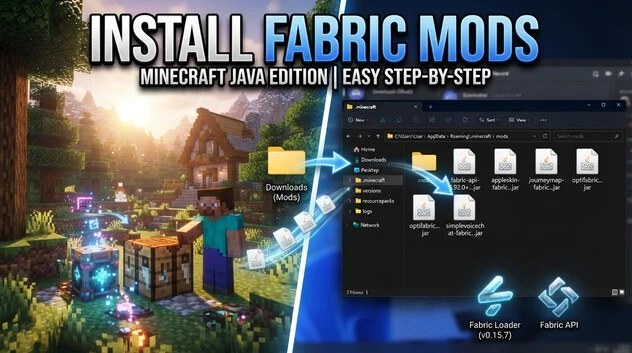
Download the Fabric API .jar file from a trusted source, such as Modrinth or CurseForge. Place the downloaded file inside your Minecraft .minecraft/mods folder. Keep the .jar file intact and do not extract it. Fabric Loader detects the API when Minecraft starts. Compatible Fabric mods can then use the API features they require.
How to Install Fabric Mods
Check Minecraft and Fabric Compatibility
Before downloading a mod, check its supported Minecraft version. Confirm that the mod uses Fabric rather than another mod loader. Also check your Fabric Loader and Fabric API requirements. Some mods need additional dependencies. A mod made for one Minecraft version may not work correctly on another.
Download a Fabric Mod From a Trusted Source
Download Fabric mods from trusted sources such as Modrinth, CurseForge, or the mod author’s official project page. Check the game’s version and Fabric compatibility before downloading. Avoid suspicious websites that offer modified or unrelated .jar files. Fabric specifically recommends trusted sources and warns about malware sites.
Open the .minecraft/mods Folder
The mods folder stores the Fabric mod files that Minecraft loads. On Windows, open %appdata%\.minecraft\mods. On macOS, use ~/Library/Application Support/minecraft/mods. Linux users can open ~/.minecraft/mods. Create the mods folder if it does not already exist.
Add the .jar Mod Files
Move the downloaded Fabric mod .jar files into the mods folder. Do not extract the .jar files. Keep required dependency files in the same folder. Fabric Loader checks these files when Minecraft starts.
Launch and Verify the Mod
Open the Minecraft Launcher and select your Fabric profile. Click Play and wait for Minecraft to load. Test the mod’s features in-game to confirm it works. Mod Menu, when supported by your setup, can help you view installed mods. If Minecraft crashes, check the mod’s version and required dependencies first. Fabric’s official guide also provides troubleshooting resources for installation problems.
If you also want to learn about Forge, check our complete Minecraft Forge Download guide for installation and setup details.
How to Use Fabric Mods in Minecraft
Start Minecraft Through the Fabric Profile
Open the Minecraft Launcher and select the Fabric profile you created during installation. Confirm that it targets the Minecraft version supported by your mods. Click Play to start the game. Fabric Loader then loads compatible mods during startup. If you switch to a normal Minecraft profile, Fabric mods will not load.
Check Installed Mods
After Minecraft starts, check whether your installed mods work as expected. Mod Menu can provide a convenient list of installed mods when your setup supports it. Open the relevant mod settings when available. If a mod does not appear, check its version, dependencies, and location in the mods folder.
Client-Side, Server-Side, and Dependencies
Some mods work only on the client, while others require server installation. Some require both sides. Always read the mod’s installation notes. Install every required dependency, such as Fabric API, when the project lists it.
Keep Fabric and Mods Updated
Updates can change compatibility between Minecraft, Fabric Loader, and individual mods. Newer mods may require newer Fabric Loader versions. Check supported versions before updating. Update related dependencies together when required. Keep a backup of important worlds before making major changes.
Minecraft Fabric Compatibility and Common Errors
Wrong Minecraft Version
A common Fabric problem comes from using a mod for the wrong Minecraft version. Check the mod’s supported game versions before installation. Your Minecraft profile, Fabric Loader, Fabric API, and mod should support the same game version. If Minecraft shows a version mismatch, download the correct mod release or switch to its supported Minecraft version.
Wrong Loader or Non-Fabric Mod
Fabric mods require Fabric Loader. A mod built specifically for Forge, NeoForge, or another loader may not work with Fabric. Check the project’s listed loader before downloading. Do not place incompatible mod files in your Fabric mods folder. Use the Fabric version when the developer provides separate releases.
Missing Fabric API or Dependency
Some Fabric mods require Fabric API or additional libraries. Minecraft can stop during startup when a required dependency is missing. Read the mod’s dependency list and install every required component. Make sure each dependency supports your Minecraft version and Fabric setup.
Minecraft Crash or Mod Conflict
Minecraft may crash when two mods conflict or when one mod uses an unsupported version. First, check the latest error message or crash report. Remove the most recently added mod and launch again. If Minecraft starts normally, check that mod’s compatibility and dependencies. Updating Fabric Loader, Fabric API, or the affected mod can also resolve version-related problems. Keep a backup of important worlds before changing your setup.
Minecraft Fabric vs Forge, NeoForge, and Quilt
Fabric Loader, Forge, NeoForge, and Quilt are different mod-loading platforms for Minecraft Java Edition. Each has its own loader, APIs, tools, and mod ecosystem.
Fabric Loader works with Fabric mods and the Fabric API. Forge provides its own loader and established modding ecosystem. NeoForge developed from the Forge ecosystem and maintains its own loader and mod compatibility requirements. Quilt provides a separate loader and modding ecosystem with its own compatibility rules.
A mod built for one loader does not automatically work with another. For example, a Fabric mod should use Fabric Loader rather than Forge or NeoForge. Always check the mod page for its supported loader, Minecraft version, and required dependencies. This prevents compatibility errors during startup.
Minecraft Fabric FAQ
What Is Minecraft Fabric?
Minecraft Fabric is a modding toolchain for Minecraft Java Edition. It includes Fabric Loader and related tools that help players run compatible Minecraft mods. Fabric supports mods for gameplay, performance, utilities, and visual features.
Is Fabric for Java or Bedrock?
Fabric is designed for Minecraft Java Edition. It does not serve as a Bedrock Edition mod loader. If you play Java Edition, you can install Fabric Loader and compatible Fabric mods through the Minecraft Launcher.
What Is Fabric Loader?
Fabric Loader is the component that loads Fabric mods when Minecraft starts. It manages mod initialization and dependencies. You install it for a specific Minecraft version, then launch that version through the Fabric profile.
Do Fabric Mods Need Fabric API?
Not every Fabric mod needs Fabric API. However, many mods use its shared hooks and features. Check each mod’s dependency list before installation. Install the required Fabric API version when the mod lists it as a dependency.
Where Do Fabric Mods Go?
Place Fabric mod .jar files inside the mods folder within your .minecraft directory. On Windows, this usually means %appdata%\.minecraft\mods. Do not extract the .jar files before placing them there.
Can Forge Mods Work With Fabric?
Forge mods generally do not work directly with Fabric Loader. Forge and Fabric use different modding systems and ecosystems. Download the Fabric version when a project provides separate releases for Fabric, Forge, or other loaders.
Why Does Minecraft Crash After Installing Fabric Mods?
Minecraft can crash because of an incorrect Minecraft version, incompatible mod, missing dependency, or mod conflict. Check every mod’s supported version and loader. Also verify Fabric API requirements. Remove recently added mods individually to identify the conflicting file.