Best Minecraft Modpacks for Beginners: Compare by Goal and Hardware
The best Minecraft modpacks for beginners should add content without creating unnecessary confusion. Your ideal pack depends on your gameplay goal, difficulty preference, PC hardware, and modpack complexity. A vanilla-style pack suits players who want familiar Minecraft with more content. An RPG pack works better if you want quests, combat, and progression. Lightweight packs also help players with weaker PCs. Most traditional modpacks target Minecraft Java Edition, which supports extensive third-party modding.
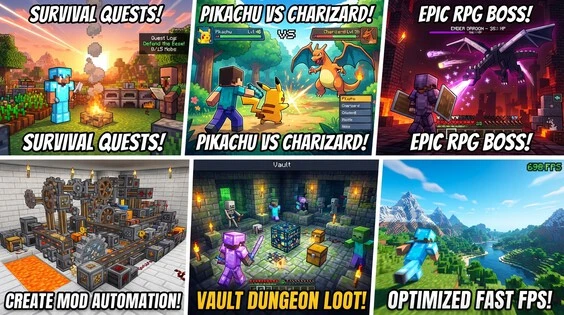
This guide compares beginner-friendly packs by gameplay style and hardware needs. It focuses on practical choices instead of simple popularity rankings.
Best Minecraft Modpacks at a Glance
The best beginner pack depends on what you want from modded Minecraft. Some packs stay close to vanilla, while others add deep progression. Hardware needs also vary between packs.
Quick Comparison Table
| Modpack | Best For | Difficulty | Hardware Demand | Beginner-Friendly? | Main Appeal |
| Better MC | Vanilla+ survival | Easy | Medium | Yes | More exploration, quests, and world content |
| Fabulously Optimized | Better performance | Easy | Low | Yes | Higher FPS with optimization-focused mods |
| Cobblemon | Creatures and exploration | Easy–Medium | Low–Medium | Yes | Pokémon-style collecting and battles |
| Prominence II | RPG and adventure | Medium | Medium–High | Mostly | Quests, gear, talents, and bosses |
| Create-based pack | Automation and engineering | Medium | Medium | Yes, with learning | Machines, processing, and creative automation |
| Vault Hunters | Guided progression | Medium–Hard | Medium–High | With guidance | Levels, abilities, vaults, and long-term goals |
Better MC currently targets Minecraft 1.20.1 with Forge and includes 100+ quests. Fabulously Optimized supports Java Edition and focuses on performance with Fabric. Cobblemon’s official pack supports lightweight, exploration-focused gameplay. Prominence II uses Fabric and adds RPG systems, quests, bosses, and talents. Vault Hunters Third Edition uses Forge on Minecraft 1.18.2 and centers on structured RPG progression.
Quick Recommendation
Want Minecraft to feel mostly vanilla? Choose Better MC. It adds more content without changing the basic survival formula.
Have a weaker PC? Try Fabulously Optimized. It focuses on performance rather than adding hundreds of gameplay systems.
Want RPG gameplay? Choose Prominence II. It adds quests, talents, custom gear, and boss fights.
Want creatures and exploration? Try Cobblemon. Its official pack adds Pokémon-style collecting and battles.
Want machines and automation? Choose a Create-based pack. It teaches mechanical systems through hands-on building.
Want structured progression? Try Vault Hunters. Its vaults, abilities, and goals give each play session a clear purpose.
Always check the official project page before installing. Versions, loaders, and requirements can change.
Best for Beginners: Better MC
Better MC is a strong starting point for players new to modded Minecraft. It follows a vanilla+ approach instead of replacing Minecraft’s core survival loop. The pack keeps familiar crafting, mining, building, and exploration while adding more content.
Its world generation adds new biomes and structures. The pack also includes over 100 quests that help players discover its features.
Quality-of-life features make survival more convenient without requiring a completely new playstyle. This makes Better MC easier to learn than packs with complex technology or RPG systems.
The pack does need more resources than vanilla Minecraft. Treat it as a medium-demand option rather than a lightweight pack. A weaker PC may need lower render distance and other performance settings.
The main drawback is simple. Better MC adds far more content than vanilla Minecraft. New players may need time to explore everything. It also currently targets Minecraft Java Edition 1.20.1 with Forge, so check the project page before installing.
Best for Low-End PCs: Fabulously Optimized
Fabulously Optimized focuses on performance instead of adding large amounts of new content. It uses optimization mods to improve FPS, rendering, and overall smoothness. The pack also keeps Minecraft’s familiar gameplay.
This makes it a better choice for players with limited hardware than content-heavy modpacks. It does not include gameplay content mods, so it avoids many extra systems that can increase resource use.
The pack can also help players who want higher FPS without changing vanilla gameplay. However, results still depend on your CPU, GPU, RAM, and game settings. Lowering render distance can further improve performance when needed.
Fabulously Optimized does not need large RAM allocations for normal use. Its official performance guide suggests around 4 GB for most users. Heavier shaders and high-resolution resources can require more.
The key difference is simple. A content-heavy pack adds gameplay systems, while Fabulously Optimized mainly improves how Minecraft runs.
Best for RPG and Adventure: Prominence II
Prominence II: Hasturian Era suits beginners who want more structure than vanilla Minecraft. It builds around RPG progression, quests, combat, and adventure. Its custom quest system guides players through two story campaigns.
The pack adds character leveling, talent choices, custom gear, and powerful abilities. Players can also explore new areas, meet NPCs, and fight challenging bosses. This gives each session clearer goals than standard survival.
That structure can help new players who prefer guided gameplay. However, Prominence II feels more complex than a vanilla+ pack like Better MC. Its RPG systems require more time to learn.
It also demands more hardware than lightweight packs. The current release is about 375 MB and uses Fabric for Minecraft 1.20.1. Performance can vary with your CPU, GPU, RAM, and settings.
Choose Prominence II if you want quests and character progression. Choose a vanilla+ pack if you prefer simpler survival.
Best for Pokémon-Style Gameplay: Cobblemon
Cobblemon suits players who want a different goal from traditional Minecraft survival. Its official modpack keeps the familiar Minecraft world while adding creature-focused gameplay. Players can explore, collect creatures, build teams, and progress through battles.
The pack also adds a Pokédex, riding, fossils, ancient structures, farming features, and multiplayer options. These systems give exploration and collecting a stronger purpose.
Its official pack uses optimization mods and remains relatively lightweight compared with many large modpacks. The project recommends at least 2.5 GB of memory, with 3 GB or more for better performance. Actual results still depend on your PC and settings.
The current official Fabric pack supports Minecraft Java Edition 1.21.1. Fabric remains the recommended loader for better performance, while NeoForge also has support. Always match the modpack version with your Minecraft version and loader.
Best for Automation: Create-Based Modpacks
Create-based modpacks suit beginners who enjoy building machines and solving practical problems. The Create mod adds mechanical systems, moving parts, machines, and automation tools. Players can connect these systems to process resources and automate repeated tasks.
The building side also makes Create appealing to creative players. You can design factories, processing lines, transport systems, and large engineering projects. The in-game Ponder system helps explain many of Create’s mechanics.
However, Create has a steeper learning curve than vanilla+ packs. Beginners must understand mechanical power, components, recipes, and machine layouts. A focused Create pack can make these systems easier to learn.
Hardware demand also depends on the full modpack. Large Create packs can include many additional mods and complex moving contraptions. These can increase CPU, RAM, and rendering demands.
Create currently supports several Java Edition versions, including 1.20.1 and 1.21.1. Current releases use Forge or NeoForge, depending on the Minecraft version.
Choose Create-based packs if you enjoy automation and engineering. Choose vanilla+ packs if you want a simpler survival experience.
Best for Guided Progression: Vault Hunters
Vault Hunters suits players who prefer clear goals over open-ended survival. The pack combines RPG progression with exploration, combat, and dungeon-style vault runs. Players level up and unlock talents and abilities as they progress.
Its progression system gives beginners a reason to keep playing. Vaults provide challenging areas filled with enemies, loot, and bosses. Players can also work toward collecting 25 unique artifacts and unlocking the final challenge.
The pack also supports long-term progression through research and unlockable mods. This creates a stronger sense of purpose than standard Minecraft survival.
However, Vault Hunters is much more complex than a beginner vanilla+ pack. New players must learn its skills, gear, vault mechanics, resources, and progression systems. It also needs more hardware than lightweight packs. The current Third Edition listing recommends 8 GB of allocated memory.
The current Third Edition supports Minecraft 1.18.2 with Forge. Check the official project page before installing because versions can change.
Choose Vault Hunters if you want structured progression and long-term goals.
Low-End or Older PC
If your PC struggles with vanilla Minecraft, choose a lightweight modpack first. Packs with fewer content-heavy mods usually place less demand on your system. Performance-focused options can also help maintain smoother gameplay.
Lower your render distance when you notice FPS drops. Avoid heavy shaders because they can increase GPU and memory demands. High-resolution resource packs can also reduce performance.
Use a reasonable RAM allocation instead of giving Minecraft all available memory. Too little RAM can cause stuttering, while excessive allocation can also hurt system responsiveness. Start with the pack’s recommended amount and adjust when needed.
Your CPU and GPU still matter. A lightweight pack cannot remove every hardware limitation. Test performance before adding shaders or increasing render distance.
Mid-Range Gaming PC
A mid-range gaming PC can handle larger modpacks more comfortably. You can explore packs with expanded world generation, new biomes, structures, and extra gameplay systems.
RPG and automation packs become practical choices at this level. They often add more mobs, machines, effects, and world-generation features than vanilla+ packs.
Moderate shader use may also work well, depending on your GPU. Start with lighter settings before increasing shader quality or render distance.
Your CPU matters heavily when running larger modpacks. World generation, complex machines, mobs, and background systems can create significant CPU workloads. More RAM alone will not fix CPU-related performance issues.
Keep render distance and simulation distance at sensible levels. Then adjust them upward while monitoring FPS and overall smoothness.
High-End PC
A high-end PC can handle larger kitchen-sink modpacks more comfortably. These packs often include hundreds of mods, expanded world generation, new dimensions, and complex gameplay systems.
Heavy automation can also become practical. Large factories, machines, mobs, and other active systems may create higher CPU and memory demands.
A stronger GPU gives you more room for shaders, higher render distances, and better visual settings. However, world generation and simulation can still depend heavily on CPU performance.
More RAM does not automatically mean better performance. Minecraft also depends on CPU speed, GPU capability, storage, and efficient memory use. Allocating excessive RAM can even create unnecessary garbage-collection overhead.
For demanding packs, balance RAM allocation with render distance, simulation distance, shaders, and other settings. This approach usually produces a smoother experience than simply adding more memory.
How Much RAM Do Minecraft Modpacks Need?
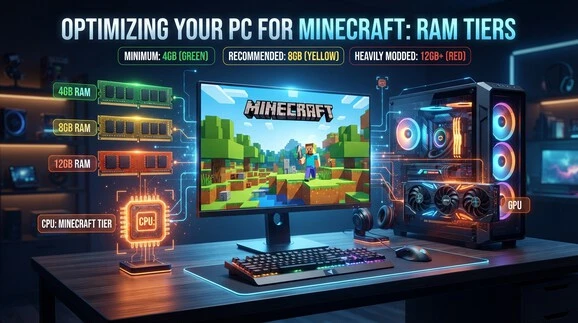
As a rough guide, lightweight packs need 4–6 GB, medium packs need 6–8 GB, and heavy packs may need 8–12+ GB allocated. These are not universal requirements. Your total system RAM also matters. Avoid allocating almost all available RAM to Minecraft, as Windows and other apps still need memory.
Check the Gameplay Goal
Start by deciding what you want from modded Minecraft. Choose vanilla+ for familiar survival with extra content. Pick exploration for new biomes and structures. Choose RPG for quests and combat. Try automation for machines and engineering. Pick creatures for collecting and discovery. Choose progression packs if you prefer clear goals.
Check the Modpack Complexity
Next, consider how many systems you want to learn. Simple vanilla+ packs keep gameplay familiar. Curated progression packs add structured goals and guided systems. Large kitchen-sink packs offer many mods and greater freedom. More content can also mean more learning.
Remember that beginner-friendly does not always mean lightweight. A pack can feel easy to learn while still requiring strong hardware.
Check Minecraft Version and Mod Loader
Always check the pack’s Minecraft version before installing it. Then confirm whether it uses Forge, Fabric, NeoForge, or Quilt. These mod loaders are not interchangeable in every case.
You should also check required mod dependencies. A missing dependency can prevent a pack from launching correctly. Never assume a modpack supports every Minecraft version or loader. Check its official project page for the exact supported combination before installation.
Check Hardware Requirements
Before installing a modpack, check its RAM, CPU, GPU, and storage needs. Larger packs can require more memory and stronger processors. Your GPU also affects shaders, visual settings, and FPS. Keep render distance reasonable if performance drops.
Set realistic FPS expectations based on your hardware. Shaders and high render distances can reduce performance, even on capable PCs. Always check the modpack’s current official project page for updated requirements and recommendations before installation.
To learn more about this topic, click on “minecraft modpacks“!
Best Minecraft Modpacks: Which One Should You Pick?
Choosing a modpack becomes easier when you start with your main goal.
- Want vanilla Minecraft with more content? → Better MC
- Want performance as your priority? → Fabulously Optimized
- Want RPG gameplay? → Prominence II
- Want creatures and collecting? → Cobblemon
- Want automation and engineering? → A Create-based pack
- Want structured progression? → Vault Hunters
Each pack offers a different way to play. Better MC keeps survival familiar, while Fabulously Optimized focuses on smoother performance. Prominence II adds RPG systems and guided adventure. Cobblemon changes the goal toward creature collecting and exploration. Create-based packs focus on machines and automation. Vault Hunters provides deeper progression and long-term objectives.
The best Minecraft modpack does not simply mean the pack with the most downloads. Popularity can show community interest, but it does not guarantee a good fit for you.
Instead, match the pack to your gameplay goal, hardware, and preferred complexity. A lightweight pack may suit an older PC, while a larger pack may work better on a powerful system. Always check the current project page for compatibility and requirements before choosing.
Frequently Asked Questions
What is the best Minecraft modpack for beginners?
Better MC is a strong choice for beginners who want familiar survival gameplay. It adds exploration, biomes, structures, and quality-of-life features without completely changing Minecraft. Players who want guided RPG progression may prefer Prominence II or Vault Hunters.
What is the best Minecraft modpack for a low-end PC?
Fabulously Optimized is a strong option for players focused on performance. It uses optimization mods instead of adding large amounts of gameplay content. However, results depend on your CPU, GPU, RAM, render distance, and other settings.
How much RAM do Minecraft modpacks need?
Lightweight modpacks often work well with around 4–6 GB allocated RAM. Medium packs may need 6–8 GB, while heavy packs can require 8–12+ GB. Always check the pack’s current requirements and avoid allocating nearly all system RAM.
Are Minecraft modpacks available on Bedrock Edition?
Traditional third-party modpacks mainly target Minecraft Java Edition. Bedrock Edition uses add-ons and other supported content systems instead. Therefore, most modpacks discussed in this guide require Java Edition. Always check the project’s supported edition before installing.
What Minecraft version is best for modpacks?
There is no single best version for every modpack. Minecraft 1.20.1 has a mature modding ecosystem, while newer versions continue to gain support. Choose the version supported by your preferred modpack.
Is Forge or Fabric better for Minecraft modpacks?
Neither loader is universally better. Forge and Fabric support different mod ecosystems and modpacks. Choose the loader required by your selected pack. Check its current project page for the correct Minecraft version and loader.