Minecraft Patch 1.21.70 Download
Minecraft 1.21.70 is a Bedrock Edition update released on March 25, 2025. It launched as the Spring to Life drop. The update added new plants, animal variants, ambient sounds, and gameplay changes.
If you are searching for minecraft patch 1.21.70 download, this guide explains the official download options. It also covers Android installation, compatibility, major features, and important changes.
Minecraft 1.21.70 belongs to Minecraft Bedrock Edition, not Java Edition. It is now an older Bedrock release because newer updates have replaced it. Always check your game version before installing or updating.
This guide helps you understand minecraft 1.21.70, its features, and the safest way to access minecraft bedrock 1.21.70.
What Is Minecraft 1.21.70?
Minecraft 1.21.70 is a Bedrock Edition update from Mojang Studios. Microsoft publishes Minecraft across supported platforms. The update launched as the Spring to Life drop on March 25, 2025.
Minecraft Bedrock 1.21.70 serves players on mobile, Windows, consoles, and other supported Bedrock platforms. Bedrock uses a shared game codebase across these platforms. This allows players to enjoy similar features and cross-platform multiplayer.
This release is different from Java Edition. Java players received Minecraft 1.21.5 for the Spring to Life update. Therefore, Minecraft 1.21.70 is not a Java Edition version.
You may also see searches such as Minecraft PE 1.21.70 and MCPE 1.21.70. These terms commonly refer to the mobile Bedrock version. The official name remains Minecraft: Bedrock Edition 1.21.70.
Minecraft 1.21.70 Release Date and Version Context
Minecraft 1.21.70 released for Bedrock Edition on March 25, 2025. Mojang launched it as the Spring to Life game drop. The release brought seasonal changes, new mob variants, plants, and ambient features to the Overworld.
The version number identifies the Bedrock game build that received this content. Java Edition used a different version number for the same drop. This distinction helps players avoid downloading the wrong release.
Minecraft 1.21.70 did not remain unchanged after launch. Bedrock 1.21.71 arrived on March 28, 2025 to fix issues from the initial release.
Later Bedrock releases continued the version progression. For example, 1.21.72 followed in April, while 1.21.80 arrived in May 2025.
Therefore, Minecraft 1.21.70 is not the current Minecraft version in 2026. It is an older Bedrock release from the Spring to Life update cycle.
How to Download Minecraft 1.21.70 Safely
For a safe Minecraft 1.21.70 download, use official Minecraft or platform stores. Avoid websites that offer cracked or modified game files.
The official Minecraft download page provides access to supported PC versions and the Minecraft Launcher. The Launcher helps manage Minecraft games and their updates on PC.
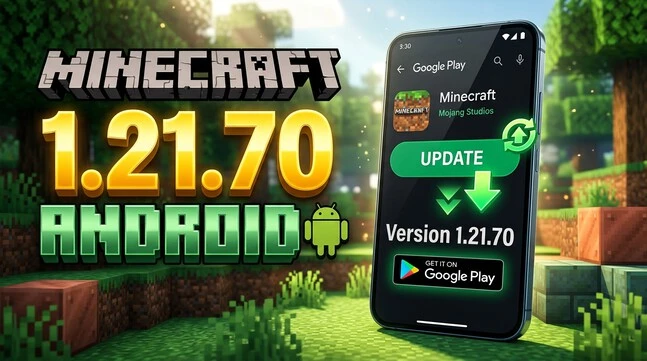
For Android, use Google Play to install Minecraft. iPhone and iPad users should use the App Store. Consoles should use their official stores, such as Xbox, PlayStation, or Nintendo Switch. Minecraft also directs mobile players to their platform store for updates.
Your account setup also depends on your device. Android requires a Microsoft account and Google account. Apple devices require a Microsoft account and Apple ID. Windows and Xbox require a Microsoft account. PlayStation and Nintendo Switch also use their platform accounts with Microsoft account linking.
Keep in mind that official stores usually provide the supported version available today. They may not offer an older release like 1.21.70.
Avoid cracked Minecraft, modded APKs, and suspicious “free APK” files. These downloads can come from unknown sources and may not match the official game.
For the safest experience, verify the publisher, store, account, and game version before installing. This approach also protects your worlds, purchases, and account from unnecessary risks.
How to Install or Update Minecraft 1.21.70 on Android
Installing Minecraft on Android is straightforward when you use Google Play. The normal process does not require a separate APK file.
Step 1: Open Google Play
Open the Google Play Store on your Android device. Search for Minecraft and select the official Minecraft app from Mojang. Check the publisher before installing.
If you already own Minecraft, open its store page instead. This page shows whether an update is available for your device.
Step 2: Check Your Installed Version
Tap Minecraft and check the available button. You may see Update if a newer supported version is available. You may see Open when no update is currently offered.
Remember that Google Play normally provides the supported release available through the store. It may not provide an older version such as 1.21.70.
Step 3: Update Minecraft
If Google Play shows Update, tap it. Wait for the download and installation to finish. Keep a stable internet connection during the process.
Minecraft will then use the version available for your device and account.
Step 4: Sign In
Open Minecraft after the update finishes. Sign in with your Microsoft account when prompted. Android also uses your Google account for the Play Store purchase and installation process.
Step 5: Open Minecraft
Launch the game and check its version information where available. This helps confirm which Bedrock release your device currently uses.
If the Update Does Not Appear
First, check your internet connection. Then reopen Google Play and search for Minecraft again. Restarting your device can also refresh store updates.
Check whether your Android device meets Minecraft’s requirements. An update may also remain unavailable if your device does not support that release.
If you specifically need Minecraft 1.21.70, remember that it is an older release. Official stores may no longer offer it as a normal update.
Do not install a random Minecraft 1.21.70 APK from an unknown website. Such files are not official Minecraft distribution methods. Use Minecraft’s official mobile update guidance and supported store channels instead.
Minecraft 1.21.70 Android Requirements and Compatibility
Before installing Minecraft on Android, check whether your device meets the official requirements. Compatibility can affect installation, updates, and game performance.
Minecraft Bedrock on Android currently requires Android OS 9 or newer. The device should also have more than 1 GB of RAM and at least 1 GB of available storage. Minecraft requires OpenGL ES 3.1 or higher for graphics support.
You also need the correct accounts for the Android version of Minecraft. Google Play uses your Google account for the store and purchase process. Minecraft uses a Microsoft account for supported game features and sign-in.
These requirements do not guarantee that every older version remains available. Minecraft 1.21.70 is an older Bedrock release, so current store availability can differ.
If your device meets the requirements but Minecraft still does not appear, check Google Play compatibility and available storage. Also keep Android and Google Play services updated for a smoother installation.
Minecraft 1.21.70 New Features
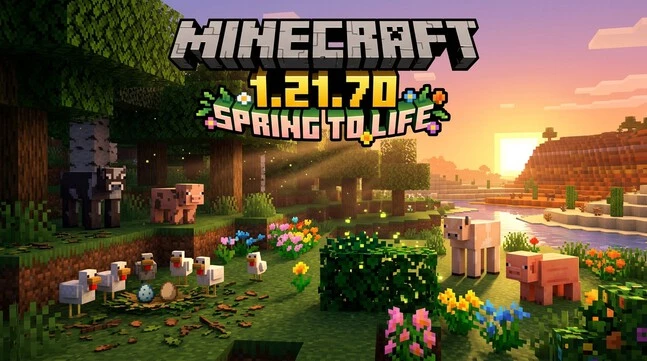
Minecraft 1.21.70 introduced the Spring to Life drop with several new Overworld features. Most changes focus on nature, animal variants, and environmental atmosphere.
Bush
The Bush is a new decorative block that appears naturally in several Overworld biomes. Players can also use bone meal to spread bushes in suitable areas.
Bushes can go into a composter, giving them another useful purpose. Their simple design also works well for gardens, paths, and natural landscapes.
Leaf Litter
Leaf Litter adds another natural detail to the Overworld. It appears beneath trees and helps make forest areas look more varied.
Players can also use it for decorative builds. It gives paths, woodland areas, and garden designs a more natural appearance.
Wildflowers
Wildflowers are another new Overworld plant added with Spring to Life. They provide colorful details in suitable natural areas.
Players can use them to improve gardens, paths, and outdoor builds. Their addition gives some landscapes a more seasonal appearance.
Firefly Bush
The Firefly Bush adds a subtle visual effect to certain environments. Fireflies appear around the bush and create a livelier nighttime atmosphere.
This feature focuses on ambience rather than major gameplay changes. It makes natural areas feel more active after dark.
Warm and Cold Animal Variants
Minecraft 1.21.70 also introduced climate-based animal variants. Warm and cold variants can appear depending on the environment where animals spawn.
Chickens received warm and cold variants with different appearances. Cows and pigs also received climate-based variants.
These changes give different regions more visual identity. Animal appearance can now better match the surrounding climate.
New Egg Variants
The update also added Brown Eggs and Blue Eggs for the new chicken variants. These eggs provide a clear visual difference between animal types.
The variants do not simply change the chicken’s appearance. Their eggs also reflect the different identities introduced by Spring to Life.
Ambient Environmental Changes
Minecraft 1.21.70 expanded the atmosphere of several Overworld regions. Deserts and Badlands received new ambient sounds that make these areas feel more distinct.
These environmental sounds add variety without changing the basic gameplay loop. Combined with new plants and animal variants, they make exploration feel more dynamic.
Together, these features give Minecraft Bedrock 1.21.70 a stronger focus on natural variety and environmental detail.
Looking for an easier way to find diamonds? Use our Minecraft Diamond Finder to locate diamond-rich areas and plan your mining route.
Minecraft 1.21.70 Gameplay and UI Changes
Minecraft 1.21.70 also changed several gameplay systems and interface elements. These changes improve everyday play without adding a separate major feature category.
Single-Player Pause
Bedrock 1.21.70 introduced a pause option for eligible single-player worlds. Players can pause when they are alone in a local world.
The game resumes if another player joins. The feature does not pause gameplay on Realms, servers, or local worlds with another player.
Friends Drawer
The Friends Drawer became easier to access across the interface. Players can find it from areas such as the main menu, game menu, and world screens.
This change makes joining friends and checking social options more convenient.
Achievements with Add-Ons
Minecraft 1.21.70 enabled Achievements while playing with Add-Ons. This change gives supported Add-On users access to achievements without treating every Add-On world as automatically incompatible.
Village Chests and Bundles
Some village-related chests gained a 33% chance of containing a Bundle. The affected locations include several profession and house chests.
This gives players another way to obtain useful early-game storage while exploring villages.
Wandering Trader
The Wandering Trader received trade improvements. Its buying trades can now be used twice before locking instead of once.
The update also improved its prices and expanded several trade options.
Donkey and Camel Changes
Donkeys received updated spawning rules. They can now naturally spawn in Savannas, while Plains groups changed to smaller groups of one to three.
Camels can also naturally spawn in Desert biomes. These changes improve Bedrock parity and make animal distribution more consistent.
Pufferfish and Gameplay Fixes
The update fixed several gameplay problems, including Pufferfish attack and inflation behavior. Other fixes addressed movement, block placement, inventory behavior, and world loading.
These fixes improve consistency during normal gameplay without changing the core survival experience.
World Generation and Parity
Minecraft 1.21.70 also improved Bedrock’s parity with Java Edition. Dark Forests received updated tree composition and better border generation.
These adjustments help Bedrock worlds produce more consistent terrain and vegetation compared with Java’s corresponding areas.
Minecraft 1.21.70 vs 1.21.71
Minecraft 1.21.70 and 1.21.71 are both Bedrock Edition releases. However, they serve different purposes.
| Version | Purpose |
| 1.21.70 | Spring to Life feature release |
| 1.21.71 | Follow-up Bedrock hotfix |
Minecraft 1.21.70 launched on March 25, 2025. It introduced the main Spring to Life content, including new plants, animal variants, environmental changes, and gameplay improvements.
Minecraft 1.21.71 arrived shortly afterward on March 28, 2025. It focused on fixing problems found around the initial release. The hotfix addressed issues involving flashing screens, mob animations, external-link buttons, and client-server entity synchronization.
A hotfix is different from a major feature update. It mainly improves stability and fixes specific problems. Therefore, Minecraft 1.21.71 download searches usually refer to the follow-up build rather than a new Spring to Life content drop.
If you are comparing Minecraft 1.21.70 vs 1.21.71, think of 1.21.70 as the main release and 1.21.71 as its early maintenance update.
The Minecraft 1.21.70 hotfix cycle continued with later Bedrock releases. Newer versions eventually replaced both builds.
Is Minecraft 1.21.70 Still Available?
Yes, Minecraft 1.21.70 is an older Bedrock release and is no longer the latest official Minecraft version. It launched on March 25, 2025, as part of the Spring to Life update cycle.
Official Minecraft channels now focus on newer supported releases. Therefore, Google Play, the App Store, and other official stores may not offer 1.21.70 as a normal update.
You may find archived Minecraft 1.21.70 APK files on third-party websites. These files should not be confused with official Minecraft downloads. An archived APK does not prove that Mojang or Microsoft distributes it.
If you need an older version for testing or compatibility, back up your Minecraft worlds first. Changing versions can affect world compatibility, especially when moving between different game releases.
Your device, account, world, and installed game version should also match the required platform. For most players, using the current supported Bedrock release provides the safest experience.
For Minecraft patch 1.21.70 download, use official channels whenever the version is available. Avoid unknown APK sources that claim to provide a guaranteed official build.
FAQ
What is Minecraft 1.21.70?
Minecraft 1.21.70 is a Bedrock Edition update released as the Spring to Life drop. It added new nature features, animal variants, ambient changes, and gameplay improvements.
When was Minecraft 1.21.70 released?
Minecraft 1.21.70 released on March 25, 2025.
Is Minecraft 1.21.70 Bedrock or Java?
It is Bedrock Edition. Java Edition received version 1.21.5 for the Spring to Life release.
How do I download Minecraft 1.21.70?
Use official Minecraft channels, such as Minecraft.net and supported platform stores. Avoid cracked or modified downloads.
How do I install Minecraft 1.21.70 on Android?
Open Google Play and search for the official Minecraft app. Tap Update if Google Play offers an update, then open Minecraft and sign in.
What is the Spring to Life update?
Spring to Life is the content drop associated with Minecraft 1.21.70. It focuses on natural environments, animal variants, and seasonal details.
What was added in Minecraft 1.21.70?
Major additions include Bushes, Leaf Litter, Wildflowers, Firefly Bushes, animal variants, new egg variants, and new ambient sounds.
What is Minecraft 1.21.71?
Minecraft 1.21.71 is a Bedrock hotfix that followed 1.21.70. It focused mainly on fixing issues from the earlier release.
Can I still download Minecraft 1.21.70?
It is an older release, so official stores may no longer offer it. Third-party archived APKs are not official Minecraft downloads. Always verify the source before installing.