Minecraft Diamond Finder
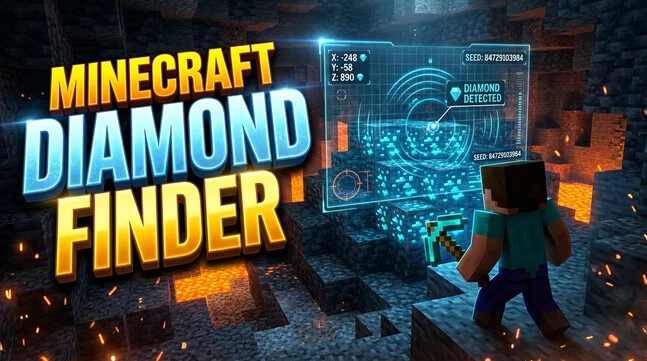
A Minecraft Diamond Finder helps you locate diamond ore using your world’s generation data. Most finder tools use your Minecraft seed, game version, edition, and coordinates to predict useful diamond locations. A diamond finder can display possible diamond-rich areas or specific diamond coordinates on a map. You can then travel to those locations and mine normally in Minecraft.
The Minecraft seed matters because it controls how your world generates. The correct version and edition also matter for reliable results. Always verify finder results inside your world before mining. This approach combines diamond ore finder tools with normal exploration for a faster and more practical way to find diamonds.
What Is a Minecraft Diamond Finder?
How a Diamond Finder Helps
A Minecraft Diamond Finder is a tool that helps players locate possible Diamond Ore in a generated world. It can show diamond locations, coordinates, or areas worth exploring. A finder is not an in-game item, block, or command. It is usually a web-based map, calculator, or location tool. Seed-based finders analyze the World Seed and Minecraft’s world-generation rules. They use this information to predict where diamond ore may generate. You still need to travel to the location and mine the ore in-game.
What Information Does It Use?
A diamond finder usually needs several pieces of world information. The World Seed identifies the specific world generation pattern. The Minecraft version determines which generation rules apply. You must also select the correct edition, such as Java Edition or Bedrock Edition. Some tools use your X/Y/Z Coordinates to focus the search around a specific area. The finder then uses world-generation data to calculate or display predicted Diamond Ore locations.
How Does a Minecraft Diamond Finder Work?
Seed-Based Diamond Location
A Minecraft seed is the value Minecraft uses to generate a specific world. It helps determine terrain, structures, biomes, and underground features. Diamond ore also follows the game’s world-generation rules.
A Minecraft Diamond Finder by seed uses this information to estimate where diamonds can generate. You enter the seed into a compatible Minecraft diamond finder tool. The tool processes the seed against the selected generation rules. It may then display diamond locations or useful areas on a map.
This makes it possible to find diamonds by seed in Minecraft without searching every underground area manually. The tool predicts locations based on the world you generated.
Seed + Version + Edition
The exact Minecraft version matters because world-generation rules can change between versions. A finder must match the version used to generate your world.
Java Edition and Bedrock Edition should also use their correct settings. Do not assume that the same seed produces identical diamond locations across both editions.
Mixed-version worlds can also create confusion. If you update an existing world, newly generated areas may follow different generation rules. Always select the closest matching version before using a finder.
Predicted Coordinates
A finder can provide Minecraft diamond finder coordinates using X, Y, and Z values. These coordinates give you a target area to visit in your world.
After reaching the predicted location, check the surrounding blocks yourself. Diamond ore may appear at nearby positions rather than exactly where you expect. Terrain, caves, and generation conditions can affect what you see.
Treat finder results as a guide, not a guaranteed block-by-block result. In-game verification confirms whether the predicted diamond location matches your world.
How to Find Your Minecraft World Seed
Find the Seed in Java Edition
In Java Edition, you can use the /seed command to display your world’s seed. Open the chat and enter /seed, then press Enter. Minecraft will show the current world seed in the chat. In some multiplayer worlds, you may need the required permissions to use the command. Copy the complete seed number before entering it into a Minecraft Diamond Finder seed tool.
Find the Seed in Bedrock Edition
In Bedrock Edition, open your world settings and look for the Seed value in the world information. The displayed number identifies the world generation used by that world. Copy the full value carefully. Then enter it into your chosen seed finder or Minecraft Diamond Finder. Make sure you also select the correct Bedrock version.
Why the Exact Seed Matters
The seed controls your world’s generation. One incorrect digit can produce different results. Copy the Minecraft seed exactly before using a diamond finder.
How to Use a Minecraft Diamond Finder
Using a Minecraft Diamond Finder is usually a simple process. Follow these steps to turn your world seed into useful diamond locations.
Enter Your World Seed
First, copy the exact Minecraft seed from your world. Paste it into the seed field of your chosen finder. Avoid changing digits or adding unnecessary spaces. Even a small input error can produce incorrect results. If you use a Minecraft Diamond Finder online, check the seed before continuing.
Select Minecraft Edition and Version
Choose the correct Minecraft edition, such as Java Edition or Bedrock Edition. Then select the Minecraft version that matches the world generation you need to analyze. Version selection matters because world-generation rules can change between releases.
For an existing world, consider which version generated the area you are checking. Newly generated chunks after an update may follow newer generation rules. Using the wrong edition or version can make diamond coordinates in Minecraft unreliable.
Select the Correct Dimension
Diamond searching normally focuses on the Overworld. Select the Overworld when the finder provides a dimension option. Do not confuse Overworld coordinates with Nether coordinates.
Locate the Diamond Area on the Map
After entering the correct settings, view the results on the Minecraft diamond map or Minecraft seed map. Look for diamond markers or predicted locations. Zoom into the target area for a clearer view.
Note the X and Z coordinates shown by the map. These coordinates help you identify where to travel in your world. A diamond finder calculator may also provide specific locations instead of map markers.
Verify the Location In-Game
Travel toward the predicted coordinates and check your position using Minecraft’s coordinate display. Reach the recommended Y-level before starting your search.
Dig carefully around the target area and watch for caves, lava, and nearby openings. Check surrounding blocks rather than expecting one exact block to contain diamonds.
A finder provides a prediction based on world-generation data. It does not guarantee every displayed location. Always confirm the result inside your actual Minecraft world before relying on it.
How to Read Diamond Coordinates in Minecraft
X, Y, and Z Coordinates
Minecraft uses three coordinates to identify your position in the world. X shows your east or west position. Y shows your vertical height. Z shows your north or south position.
All three values matter when following diamond coordinates in Minecraft. X and Z help you reach the correct underground area. Y tells you how deep you are. A finder may provide a specific X/Y/Z location for predicted diamond ore.
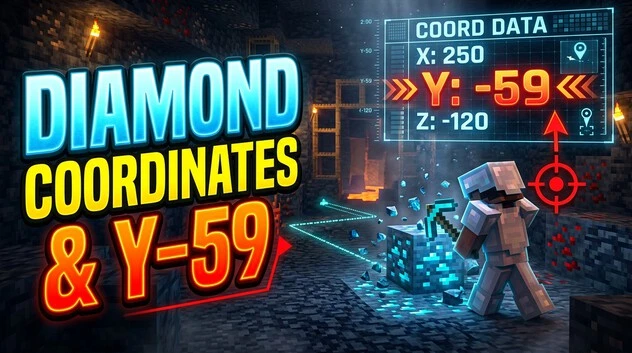
For example, if a finder gives a target such as X 250, Y -59, Z -120, you need to reach all three values. Being close to X and Z but far above the target Y can lead to a different mining area.
Finding Coordinates in Java Edition
In Java Edition, press F3 to open the debug screen. Find the XYZ coordinate values in the information displayed. Use these numbers to compare your position with the coordinates provided by a diamond finder.
Finding Coordinates in Bedrock Edition
In Bedrock Edition, enable Show Coordinates in the world settings. Minecraft then displays your current coordinates on-screen. These values help you match your position with finder results.
Using Coordinates for Mining
Use X/Z to reach the target area and Y to reach the appropriate underground level.
Minecraft Diamond Finder for Java vs Bedrock
Java Edition
For Minecraft Diamond Finder Java, select Java Edition and the version that matches your world. The finder uses these settings when calculating predicted diamond locations. Java players can use the F3 debug screen to view their X/Y/Z coordinates. Matching the seed, version, and world-generation settings helps you compare finder results with your actual world.
Bedrock Edition
For a Minecraft Diamond Finder Bedrock, select Bedrock Edition and the correct Minecraft version. Bedrock players can enable Show Coordinates to track their position. These coordinates help you reach predicted diamond locations. Minecraft Diamond Finder MCPE searches should also use the appropriate Bedrock version because mobile Bedrock worlds follow the same edition-specific generation rules.
Why Version Compatibility Matters
Minecraft world generation can change between versions. These changes can affect where terrain, structures, and underground features generate. This makes version selection important when using a diamond finder.
Existing worlds can also contain chunks generated under an older version. Newly generated chunks may use newer generation rules after an update.
Mods, add-ons, behavior packs, and data packs can also affect world generation. A finder may therefore produce different results from your actual world when these modifications change generation.
Always check the Minecraft version, edition, and seed before trusting predicted locations. A compatible finder gives you a better starting point, but in-game verification remains essential.
Explore the Best Minecraft Mods to improve your gameplay with useful, exciting, and popular mods.
Where Do Diamonds Generate in Minecraft?
Diamond Ore Generation
Diamond Ore generates below Y=16 in modern Minecraft. Its generation becomes more common as you move deeper underground. The game also reduces diamond exposure to open air, which means some ore remains hidden inside stone or deepslate.
This distribution makes lower underground levels important when searching for Minecraft diamond locations. A diamond finder can help identify predicted locations, while the generation rules explain why those locations usually appear deep below the surface.
Best Y-Level for Diamonds
Y=-59 is a commonly used practical target for diamond mining in modern Minecraft. It provides access to the deep diamond generation range while leaving some distance above the lowest bedrock areas.
The theoretical generation range and the best practical mining level are not exactly the same thing. Diamonds can generate across a wider underground range. However, mining around Y=-59 is popular because diamond generation is strong there.
Bedrock becomes more common near the bottom of the world. It can interrupt tunnels and make some of the lowest levels less convenient for mining.
Deepslate Diamond Ore
Deep underground, players often find deepslate diamond ore instead of regular diamond ore. This happens because deepslate replaces stone at lower underground levels.
The diamond ore itself still provides diamonds when mined with a suitable pickaxe. Its darker appearance can make it harder to notice in some underground areas.
Cave and Air Exposure
Diamond ore can generate beside caves and other open spaces, but much of it remains surrounded by blocks. Lower air exposure can therefore leave diamonds hidden from view.
For this reason, do not rely only on visible ore. Check the surrounding blocks when mining near a predicted diamond spawn level.
How to Verify Diamond Finder Results and Mine Efficiently
Reach the Predicted Coordinates
Start by traveling toward the predicted X and Z coordinates. Once you reach the target area, adjust your height to the recommended Y-level. Check your coordinates before digging so you do not begin at the wrong depth.
Cave Mining
Cave mining can quickly expose large underground areas. Explore naturally generated caves around the predicted location and check exposed deepslate surfaces for diamond ore. Caves can also contain lava, especially at lower levels. Carry suitable equipment and avoid entering dangerous areas without checking your surroundings.
Branch Mining
Branch mining uses controlled tunnels to expose blocks systematically. Reach the appropriate diamond mining level, then create a main tunnel and smaller branches.
The goal is to expose more blocks while limiting unnecessary digging. Keep the tunnels organized and check visible walls, floors, and ceilings. If a finder points to a specific area, use the predicted coordinates as your starting point instead of mining randomly across the world.
Use the Right Pickaxe and Enchantments
Diamond ore requires an iron pickaxe or better to drop diamonds. A weaker pickaxe cannot collect the diamonds from the ore.
Fortune III can increase the number of diamonds dropped from diamond ore. This makes it useful when your goal is to collect more diamonds from each mined block.
Silk Touch instead lets you collect the diamond ore block itself. You can then mine the ore later with Fortune. Choose the enchantment that matches your immediate goal rather than treating both as necessary.
How Accurate Is a Minecraft Diamond Finder?
Why Results Can Differ
A Minecraft Diamond Finder can produce different results when the input does not match the actual world. Common causes include a wrong seed, incorrect edition, or different Minecraft version. Incorrect X/Y/Z coordinates can also lead you to the wrong area.
Mixed-version worlds can create additional differences. Mods, add-ons, behavior packs, or data packs may also affect world generation. These factors can make predicted diamond locations differ from what you find in-game.
Always Verify In-Game
Do not treat a diamond finder as 100% accurate. Its coordinates should serve as useful guidance rather than a guaranteed result.
Travel to the predicted location and check the actual terrain. Then inspect the surrounding underground blocks to confirm whether diamond ore appears there. Your Minecraft world remains the final source for verification.
Current Tool Limitations
Finder maps can sometimes show inaccurate or missing generated features. If results look wrong, recheck the seed, edition, version, and coordinates. Also review the tool’s documentation for known limitations.
Common Minecraft Diamond Finder Mistakes
Entering the Wrong Seed
A wrong Minecraft seed creates a different world-generation pattern. Even one incorrect digit can make diamond finder results useless. Always copy the complete seed carefully.
Selecting the Wrong Minecraft Version
Different Minecraft versions can use different world-generation rules. If your finder uses the wrong version, predicted diamond coordinates may not match your world.
Selecting the Wrong Edition
Java Edition and Bedrock Edition should not be treated as identical inputs. Select the edition that matches your actual Minecraft world.
Reading X/Z but Ignoring Y
X and Z help you reach the target area. Y determines your underground height. Ignoring Y can put you at the wrong mining level.
Expecting an Exact Block Guarantee
A finder provides predicted locations, not a guaranteed block-by-block result. Check the surrounding area in-game.
Using a Modified World
Mods, add-ons, behavior packs, or data packs can affect world generation. This can make finder coordinates inaccurate even when your seed is correct.
Minecraft Diamond Finder FAQs
What Is a Minecraft Diamond Finder?
A Minecraft Diamond Finder is a tool that predicts diamond locations using your world seed and generation settings. It can provide map markers or X/Y/Z coordinates to help you search for diamond ore more efficiently.
Can I Find Diamonds Using a Minecraft Seed?
Yes. A Minecraft seed determines how your world generates. A compatible diamond finder can use that seed to predict possible diamond locations. You still need to travel to those locations and verify the results inside your Minecraft world.
What Is the Best Y-Level for Diamonds?
Y=-59 is a common practical level for diamond mining in modern Minecraft. Diamonds generate across a wider underground range, but Y=-59 offers strong diamond generation while avoiding much of the bedrock interference at lower levels.
Does a Diamond Finder Work on Java Edition?
Yes. Many diamond finder tools support Java Edition. Select the correct Java version and enter your exact world seed. You can then use the predicted coordinates with Java’s F3 coordinate display.
Does a Diamond Finder Work on Bedrock Edition?
Yes, if the tool supports your Bedrock Edition version. Select the correct Bedrock version and use Show Coordinates to compare your position with the predicted diamond locations.
Why Are My Diamond Finder Coordinates Wrong?
Check your seed, Minecraft edition, and version first. Also confirm the X/Y/Z coordinates and dimension. Mixed-version worlds or modifications such as mods, add-ons, behavior packs, or data packs can cause differences between predictions and your actual world.
Do I Need My Minecraft World Seed?
Usually, yes. Most seed-based diamond finders need your world seed to calculate or display predicted diamond locations for your specific world.
Should I Verify Finder Results In-Game?
Yes. Treat finder results as guidance and always confirm the predicted location in your actual Minecraft world.