What Is Minecraft Patch 1.21.111?
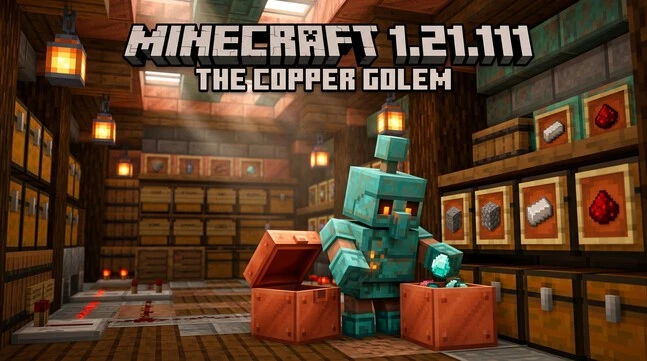
Minecraft Patch 1.21.111 is a Bedrock Edition update released on September 30, 2025. It introduced The Copper Age, adding new copper-based features and gameplay improvements. The update added the Copper Golem, Copper Chest, Copper tools, weapons, armor, Horse Armor, and Shelves. It also brought graphics, stability, accessibility, and technical improvements. Players searching for minecraft patch download 1.21 111 should know that this version targets Minecraft Bedrock Edition. The Java Edition uses a different version number for the same Copper Age release. Java received these changes through Java 1.21.9. This guide explains the Minecraft 1.21.111 download, Android installation process, major features, fixes, and supported platforms.
Minecraft 1.21.111 Release Date and Version
Minecraft 1.21.111 Release Date
The Minecraft 1.21.111 release date was September 30, 2025. Mojang released it as The Copper Age update for Bedrock Edition. It marked the Bedrock release of this major game drop.
Is Minecraft 1.21.111 Bedrock or Java?
Minecraft Bedrock 1.21.111 is a Bedrock Edition version. It covers supported platforms such as mobile, consoles, and Windows. Minecraft Java Edition uses a different numbering system. Its corresponding Copper Age release is Java 1.21.9. Therefore, 1.21.111 and 1.21.9 should not be treated as the same version number.
Is 1.21.111 the Latest Minecraft Version?
No. Minecraft 1.21.111 is a historical Bedrock release, not the latest Bedrock version in 2026. Mojang released later Bedrock updates after 1.21.111. For this reason, check your platform before installing an older version.
minecraft patch download 1.21 111 and Update
Official Minecraft 1.21.111 Download
The safest Minecraft 1.21.111 download comes through an official Minecraft installation. Bedrock updates are delivered through the supported store or platform launcher. On mobile, use the official app store linked to your Minecraft purchase. On Windows, use the official Minecraft Launcher or Microsoft Store. Consoles receive updates through their platform’s game update system.
If you already own Minecraft Bedrock, you usually do not need a separate patch file. Open the game platform and check for available updates. The platform handles the Minecraft 1.21.111 update through its normal update process.
Before Updating
First, confirm that you use Minecraft Bedrock Edition. The 1.21.111 version does not apply to Java Edition. Also, make sure your device supports the Bedrock release. Keep enough storage available for the update. A stable internet connection can also prevent interrupted downloads.
Why Avoid Unofficial Downloads?
Avoid cracked, modified, or unknown APK files claiming to offer a Minecraft Bedrock 1.21.111 download. These files may contain unwanted software or altered game files. They can also create account and compatibility problems.
For better security, use official Minecraft distribution channels. This approach protects your installation and keeps updates tied to your legitimate game license.
How to Install Minecraft 1.21.111 on Android
Update Minecraft Through Google Play
You can install the official Minecraft 1.21.111 Android update through Google Play.
- Open the Google Play Store on your Android device.
- Search for Minecraft and open its official store page.
- Check whether an Update button appears.
- Tap Update and wait for the installation to finish.
- Open Minecraft after the update completes.
- Check the title or menu screen to confirm the installed version.
This is the recommended method for a legitimate Minecraft 1.21.111 mobile installation. You do not need a separate APK file when the official update is available.
If the Update Does Not Appear
First, check your internet connection and available storage. Then restart Google Play or restart your Android device. You can also reopen Minecraft’s store page and check again.
The update may not appear immediately on every device or account. Platform availability can vary based on rollout and compatibility.
How to Check the Installed Version
Launch Minecraft and look at the title or main menu screen. The installed version appears there.
Checking the version confirms whether the update installed correctly. It also helps prevent confusion between different Bedrock releases.
For how to update Minecraft 1.21.111, always use the official Google Play listing for your legitimate Minecraft installation.
Minecraft 1.21.111 Supported Platforms
Minecraft 1.21.111 was a Bedrock Edition release for supported Bedrock platforms. These included Android, iOS, Windows, Xbox, PlayStation, and Nintendo Switch.
The update process depends on the platform. Android and iOS users receive updates through their official app stores. Windows users can update through the supported Minecraft or Microsoft distribution channels. Console players receive updates through their platform’s game update system.
When checking Minecraft 1.21.111 supported devices, confirm that your device runs Minecraft Bedrock Edition. The same version number does not apply to Java Edition.
Update availability can also vary by platform and rollout timing. Your store or console may receive an update at a different time.
For Minecraft 1.21.111 Windows, Xbox, PlayStation, and Switch, use the platform’s official update system. This keeps the installation secure and compatible.
Copper Golem and Copper Chest
The Copper Golem and Copper Chest are major additions in Minecraft 1.21.111. Together, they create a simple item-sorting system for organized storage.
Copper Golem
The Minecraft Copper Golem 1.21.111 is a small utility mob designed to organize items. You create it using copper and a carved pumpkin. Once active, it can interact with nearby storage.
The golem takes items from Copper Chests and places them into nearby compatible chests. This makes it useful for automatic item organization. It can reduce the need to sort every item manually.
The Copper Golem also changes appearance as its copper oxidizes. You can use an axe to remove oxidation. Wax can preserve its current oxidation state.
A Copper Golem Statue can also form as the golem becomes fully oxidized. The statue has different poses and can interact with redstone through comparator signals. Removing its oxidation can turn it back into a Copper Golem.
Copper Chest
The Minecraft Copper Chest 1.21.111 adds another storage option. You craft it using a regular Chest and Copper Ingots. Like other copper blocks, it can oxidize over time.
You can wax a Copper Chest to prevent further oxidation. This lets you preserve its current appearance.
The Copper Chest also plays an important role in the new storage system. It provides the starting point for the Copper Golem’s sorting behavior.
How the Sorting System Works
Place items inside a Copper Chest, then keep compatible chests nearby. A Copper Golem can move those items into suitable nearby storage.
This creates a simple item sorting setup without complicated redstone circuits. It works especially well for players who want a cleaner storage system. The Copper Golem and Copper Chest therefore form one of the defining gameplay features of The Copper Age.
Copper Equipment and New Copper Items
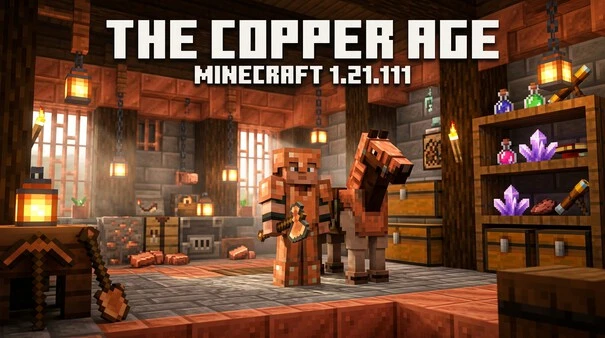
Minecraft 1.21.111 expands copper beyond building blocks. The update adds Copper tools, weapons, armor, Horse Armor, and decorative items.
Copper Tools and Weapons
Minecraft copper tools 1.21.111 add a new progression option between stone and iron. Copper tools and weapons offer better durability than stone equipment. They remain below iron in the overall progression.
Copper equipment does not oxidize like copper blocks. Players can therefore use these items without worrying about their appearance changing over time.
Copper Armor
Minecraft copper armor gives players another early-game armor choice. Its durability sits above leather but below iron. Copper armor also has different enchantability compared with the other armor tiers.
This makes copper useful for players who want an option between basic leather gear and stronger iron equipment.
Copper Horse Armor
Minecraft copper Horse Armor gives players another way to protect their horses. The official update adds it with an armor toughness value of 4. Its loot chance follows the same table and chance as Iron Horse Armor.
Copper Decorative Items
The update also adds several copper-based building items. These include the Copper Torch, Copper Bars, Copper Chain, and Copper Lantern.
These blocks expand copper’s role in decorative builds. Their designs also give builders more options for lighting, barriers, and hanging structures.
Together, these additions make copper useful for both equipment and construction.
Shelves and Redstone Features
Minecraft Shelves add a useful mix of storage and item display. They come in several wood variants, so players can match them with different builds.
What Are Shelves?
A Shelf can hold up to three item stacks. Its contents remain visible, making it useful for both storage and decoration. Players can display tools, blocks, food, or other items while keeping them organized.
The visible design makes Shelves different from traditional hidden storage blocks. They work well in workshops, libraries, kitchens, and item rooms.
Powered Shelves
Powered Shelves add a simple redstone function. Connected Shelves can interact with the player’s hotbar when powered.
This lets players quickly swap stored items with selected hotbar slots. It can make frequently used items easier to access during building or other tasks.
Comparator Interaction
Shelves also support redstone comparator signals. The comparator output changes based on which Shelf slots contain items.
This gives players another way to connect Shelves with simple redstone systems. You can use that behavior to detect storage activity or trigger other mechanisms.
Overall, Shelves expand the storage system while adding practical display and redstone options.
Minecraft 1.21.111 Fixes, Graphics and Performance
The Minecraft 1.21.111 fixes covered gameplay, graphics, stability, and Realms. Mojang also addressed several issues affecting different platforms.
Gameplay Fixes
The update fixed several gameplay problems. Nether portal entities now receive improved positioning behavior. The Ender Dragon also received fixes related to its death and portal behavior.
Mojang addressed a bundle duplication issue and several armor and equipment visual problems. The update also included command-related fixes, improving behavior in certain command and command-block situations.
These changes help make regular gameplay more stable and predictable.
Vibrant Visuals Improvements
Vibrant Visuals received several improvements in Bedrock 1.21.111. Mojang improved lighting effects, volumetric fog, and particle behavior.
The update also fixed visual problems involving Nether Portals. Other changes improved block selection, mob effects, shadows, and various textures.
On PC, Vibrant Visuals also received improved render-distance behavior. These changes help supported systems display the updated graphics more consistently.
Stability and Realms
The Minecraft 1.21.111 bug fixes also targeted crashes and stability problems. Mojang fixed issues affecting Xbox downloads and other game systems.
Minecraft Realms received several improvements as well. These included crash fixes, interface improvements, and fixes affecting Realm navigation and settings.
Overall, the update improved gameplay reliability, visuals, and online stability across supported Bedrock platforms.
اكتشف أحدث التحديثات والميزات في تحميل ماين كرافت للكمبيوتر واستمتع بتجربة لعب ممتعة وسلسة.
Technical and Command Changes in 1.21.111
Minecraft 1.21.111 also introduced several technical improvements for commands, add-ons, and creators.
/locate biome Improvement
The /locate biome command received an important improvement. It can now support locating underground biomes with more accurate Y-coordinate results.
This makes the command more useful when searching for biomes below the surface. Players using commands can get more precise location information.
Add-Ons and Creator Updates
The update also included changes for Minecraft add-ons and creator features. Mojang updated technical schemas and APIs to improve creator workflows and content compatibility.
Custom biomes also moved out of experimental status, making them a more established part of Bedrock’s creator tools.
These changes mainly benefit map makers, add-on developers, and technical players. They also improve the foundation for custom content in Minecraft Bedrock Edition.
Minecraft 1.21.111 vs Later Bedrock Updates
Minecraft 1.21.111 remains an important Bedrock update because it introduced The Copper Age. However, later Bedrock updates followed its release.
Mojang released Minecraft 1.21.114 on October 16, 2025. That update addressed several issues discovered after 1.21.111, including crashes and player appearance problems.
Should You Still Install 1.21.111?
If you need the historical Minecraft 1.21.111 update, confirm the exact version before installing or researching it. Version numbers matter when checking compatibility, worlds, and add-ons.
For normal current gameplay, use the official update offered for your platform. Do not assume 1.21.111 is the newest Bedrock release in 2026.
This distinction helps avoid outdated Minecraft 1.21.111 fixes or compatibility information.
Minecraft 1.21.111 FAQs
Is Minecraft 1.21.111 Bedrock Edition?
Yes. Minecraft 1.21.111 is a Minecraft Bedrock Edition release. It introduced The Copper Age and does not use the Java Edition version number.
When Was Minecraft 1.21.111 Released?
Minecraft 1.21.111 was released on September 30, 2025. Mojang released it as the Bedrock Edition version of The Copper Age update.
What Is New in Minecraft 1.21.111?
The update added the Copper Golem, Copper Chest, copper equipment, Horse Armor, Shelves, and new copper decorations. It also included gameplay and graphics improvements.
Is the Copper Golem in Minecraft 1.21.111?
Yes. The Copper Golem is one of the main Copper Age features. It helps organize items by moving items from Copper Chests into nearby compatible storage.
Can I Download Minecraft 1.21.111 on Android?
Yes, if the version is available for your installation. Use the official Google Play Store for a legitimate Minecraft 1.21.111 Android update. Avoid modified or unofficial APK files.
How Do I Update Minecraft to 1.21.111?
Open your official Minecraft store listing and check for an available update. On Android, use Google Play. Your platform handles the official Minecraft 1.21.111 update.
Is Minecraft 1.21.111 the Same as Java 1.21.9?
No. Minecraft 1.21.111 belongs to Bedrock Edition, while Java 1.21.9 is the corresponding Java release for The Copper Age. Their version numbers are different.
What Came After Minecraft 1.21.111?
Later Bedrock releases followed 1.21.111. Minecraft 1.21.114 arrived on October 16, 2025 and fixed issues discovered after the Copper Age release.