Minecraft Patch Download 1.20 (Complete Official Update Guide)
Minecraft Patch Download 1.20 brings the official Trails & Tales update to the game. This update adds new adventures, creative building options, and better gameplay. It supports both Minecraft Java Edition and Minecraft Bedrock Edition across supported devices.
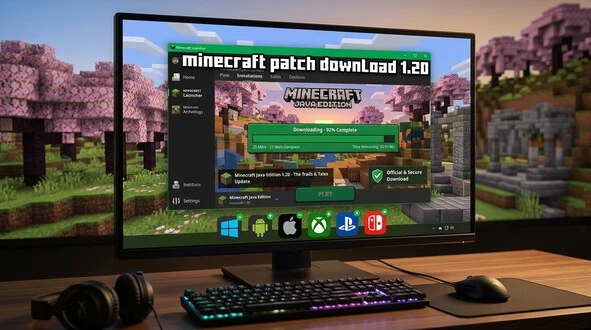
This guide explains how to download minecraft patch download 1.20 safely using official methods. You will also learn about the latest features, installation steps, system compatibility, patch notes, and common fixes. New content includes the Cherry Blossom biome, Camel, Sniffer, Archaeology, Armor Trims, Bamboo blocks, and more.
Always download Minecraft 1.20 from the official Minecraft Launcher or your device’s trusted app store. Official sources help protect your account, worlds, and game files while providing the latest security and stability updates.
What is Minecraft Patch Download 1.20?
Overview of Minecraft 1.20
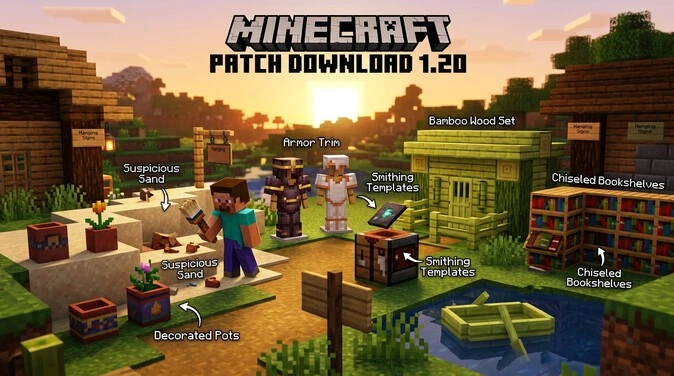
Minecraft Patch Download 1.20 delivers the official Trails & Tales update from Mojang Studios. This update expands exploration, creativity, and storytelling across the game. Players can discover the Cherry Blossom biome, ride Camels, uncover Archaeology sites, and find the Sniffer. The update also adds Armor Trims, Bamboo building blocks, Smithing Templates, and several new decorative items. Mojang also improved game stability, fixed bugs, and enhanced overall performance for a smoother experience.
Minecraft 1.20 Release Date
Minecraft 1.20 officially launched on June 7, 2023. The update became available for both Java Edition and Bedrock Edition on supported platforms. You can install it on Windows, macOS, Linux, Android, iOS, Xbox, PlayStation, and Nintendo Switch. Mojang later released smaller 1.20.x updates to improve security, compatibility, and game stability.
Java Edition vs Bedrock Edition
Minecraft Java Edition runs on Windows, macOS, and Linux. It offers strong support for mods, custom servers, and community tools. Minecraft Bedrock Edition works across Windows, mobile devices, consoles, and supports cross-platform multiplayer. Both editions include the main Trails & Tales features, but their update methods differ. Java Edition updates through the Minecraft Launcher, while Bedrock Edition updates through your device’s official app store or platform service.
Minecraft Patch Download 1.20 Features
Cherry Blossom Biome
The Cherry Blossom biome adds a fresh look to Minecraft. Pink trees, colorful petals, and peaceful scenery create beautiful places to explore and build. Players can also collect cherry wood for unique structures.
Camel Mob
Camels are friendly mobs that live in desert villages. Two players can ride one Camel together. Camels also move over small obstacles, making desert travel easier.
Sniffer Mob
The Sniffer won the community mob vote before joining Minecraft 1.20. It searches the ground for ancient seeds. Players can grow unique decorative plants from those seeds.
Archaeology System
Archaeology introduces a new way to explore old ruins. Players use the Brush tool on Suspicious Sand and Suspicious Gravel. This feature reveals hidden items and ancient treasures.
Bamboo Wood Set
Minecraft 1.20 turns bamboo into a full building material. Players can craft planks, doors, stairs, fences, signs, and more. This update gives builders more creative choices.
Armor Trims
Armor Trims let players customize their armor with unique patterns. Smithing Templates unlock different designs. These changes add style without changing armor strength.
Smithing Templates
Smithing Templates improve the smithing system. Players use them to upgrade diamond gear into Netherite armor. They also create custom Armor Trim designs.
Decorated Pots
Decorated Pots allow players to display items in creative ways. Crafted pottery sherds add different patterns. These pots make homes and museums look more detailed.
Chiseled Bookshelves
Chiseled Bookshelves store books that players can place or remove individually. They also work with Redstone. This feature creates new options for libraries and secret mechanisms.
Hanging Signs
Hanging Signs offer a modern way to display text. Players can hang them from ceilings or supports. They fit well in shops, villages, and custom builds.
New Blocks
Minecraft 1.20 adds many new blocks for building and decoration. These include cherry wood blocks, bamboo blocks, suspicious sand, suspicious gravel, and more. Builders gain greater design flexibility.
Gameplay Improvements
The update expands exploration and creativity. New mobs, items, and mechanics create fresh adventures. Players enjoy more ways to build, discover, and personalize their worlds.
Performance Improvements
Mojang improved game stability across supported platforms. Better optimization reduces many common issues. Players experience smoother gameplay during exploration and multiplayer sessions.
Bug Fixes
Minecraft Patch Download 1.20 fixes many reported bugs from earlier versions. These updates improve gameplay, world stability, and multiplayer compatibility. Regular 1.20.x patches continue to resolve issues and enhance reliability.
Minecraft Patch Notes 1.20
Major Changes
minecraft patch download 1.20 introduces the official Trails & Tales update. Mojang expands exploration, building, and customization. The update adds new mobs, blocks, items, and game mechanics. It also improves game stability and overall reliability. For the latest Minecraft Patch Download APK, explore our detailed guide to discover the newest updates, features, and download information.
Gameplay Changes
Players can explore Cherry Blossom biomes and discover Archaeology sites. New mobs, including the Camel and Sniffer, create fresh adventures. Armor Trims and Smithing Templates add deeper equipment customization. New decorative blocks give builders more creative freedom.
Technical Improvements
Mojang improves world generation and game stability. The update fixes many issues from earlier versions. Better compatibility supports existing worlds and newer game content. Several internal changes prepare the game for future updates.
Multiplayer Changes
Minecraft 1.20 improves multiplayer compatibility across supported platforms. Players can enjoy smoother online sessions after updating. Server owners should update their server software before accepting 1.20 players. Modded servers should also verify plugin and mod compatibility.
Performance Optimizations
The update reduces many common stability problems. Faster loading and smoother gameplay improve the player experience. Later 1.20.x releases add more performance improvements and bug fixes across Java Edition and Bedrock Edition.
Known Issues
Some players may face mod conflicts after updating. Older resource packs and plugins may also stop working. Always update mods, servers, and resource packs before playing Minecraft 1.20. Check official minecraft patch download 1.20 notes for the latest fixes and compatibility information.
How to Minecraft patch download 1.20
Download for Java Edition
Open the official Minecraft Launcher and sign in with your Microsoft account. Select the latest 1.20 release from the installation menu if needed. The launcher downloads and installs the update automatically.
Download for Bedrock Edition
Open your device’s official app store or game library. Check for available updates and install Minecraft 1.20. Launch the game after the update finishes.
Download on Windows 10/11
Windows players can update Minecraft through the Microsoft Store or the Minecraft Launcher. Open the update section and install the latest available version. Restart the game to apply the patch.
Download on Android
Open the Google Play Store and search for Minecraft. Tap Update if Minecraft 1.20 is available for your device. Avoid unofficial APK files because they may contain security risks or outdated content.
Download on iOS
Open the App Store and find Minecraft. Tap Update to install minecraft patch download 1.20. Make sure your device runs a supported iOS version.
Download on Xbox
Open My Games & Apps and select Minecraft. Check for updates if the game does not update automatically. Install the latest patch before joining multiplayer worlds.
Download on PlayStation
Go to your game library and highlight Minecraft. Open the options menu and check for updates. Install the latest version before starting the game.
Download on Nintendo Switch
Open the HOME menu and select Minecraft. Press the + button and choose Software Update. Download the latest version through Nintendo’s online service.
Always use the official Minecraft Launcher, Microsoft Store, Google Play Store, App Store, or your console’s digital store. Official sources provide the latest features, security updates, and full compatibility with Minecraft 1.20.
How to Install Minecraft Patch Download 1.20
Automatic Update
Minecraft updates automatically on most supported devices. Connect to the internet and open the game launcher or app store. Install the available update before starting your game.
Manual Installation
If the update does not start automatically, open your platform’s update section. Check for Minecraft updates and install version 1.20 manually. Restart the game after the installation finishes.
Updating Using Minecraft Launcher
Open the official Minecraft Launcher and sign in with your Microsoft account. Select the latest 1.20 release from the installation list if needed. Click Play to let the launcher download and install the update.
Updating Existing Installation
Back up your important worlds before updating Minecraft. Confirm that your mods, resource packs, and servers support version 1.20. Launch the updated game and check that your worlds load correctly. Install future 1.20.x updates to receive the latest fixes, security improvements, and performance enhancements.
Minecraft Patch Download 1.20 System Requirements
Java Edition Requirements
Minecraft Java Edition 1.20 runs on Windows, macOS, and Linux. Use a 64-bit operating system for the best experience. A modern processor, at least 4 GB of RAM, and updated graphics drivers improve gameplay.
Bedrock Edition Requirements
Minecraft Bedrock Edition 1.20 supports Windows 10 and 11, Android, iOS, Xbox, PlayStation, and Nintendo Switch. Your device should meet the latest system requirements for your platform. Keeping your operating system updated helps prevent compatibility issues.
Storage Space
Make sure your device has enough free storage before installing the update. Extra space allows Minecraft to download game files and future patches. Keeping additional free space also helps the game run smoothly.
Internet Requirements
Use a stable internet connection to download minecraft patch download 1.20. A reliable connection reduces download errors and interrupted updates. Internet access also supports multiplayer, Realms, cloud syncing, and future game updates.
Minecraft Patch Download 1.20 Compatibility
Existing Worlds
Minecraft 1.20 supports most existing worlds from earlier versions. Back up your worlds before updating. A backup protects your progress if unexpected issues appear.
Multiplayer Servers
Players and servers should use the same Minecraft version. Older servers may reject Minecraft 1.20 connections. Update your server software before joining multiplayer games.
Minecraft Realms
Minecraft Realms supports version 1.20 after Mojang completes the rollout. Update your game before joining a Realm. All players should use the same game version for smooth gameplay.
Resource Packs
Most older resource packs work after updates from their creators. Outdated packs may display missing textures or visual errors. Always install the latest compatible version.
Texture Packs
Texture packs designed for earlier versions may not support new blocks and items. Download updated packs built for Minecraft 1.20. This step keeps your game looking correct.
Shader Packs
Shader pack support depends on the shader developer. Some shaders need updates before working with Minecraft 1.20. Check compatibility before installing a new version.
Mods
Many older mods stop working after a major Minecraft update. Wait for developers to release Minecraft 1.20 versions. Avoid mixing mods built for different game versions.
Forge Compatibility
Forge support arrives after Forge developers release a compatible build. Install the latest Minecraft 1.20 Forge version before adding mods. Check every mod for Forge 1.20 support.
Fabric Compatibility
Fabric usually receives updates soon after new Minecraft releases. Install the latest Fabric Loader for Minecraft 1.20. Update your Fabric mods to prevent crashes and errors.
OptiFine Support
OptiFine support depends on its official release schedule. Use the latest Minecraft 1.20 OptiFine version when available. Verify compatibility before installing shaders or resource packs.
Minecraft Patch Download 1.20 Performance Improvements
FPS Improvements
Minecraft Patch 1.20 delivers smoother gameplay on supported devices. Many players notice more stable frame rates during exploration and building. Performance also improves after installing later 1.20.x updates.
Memory Optimization
Mojang refined memory usage to improve overall efficiency. Better memory management helps reduce slowdowns during longer play sessions. Closing unused background apps can improve performance further.
World Loading
Minecraft 1.20 improves world loading in many situations. Worlds open more smoothly after the update. Keeping enough free storage also helps reduce loading delays.
Stability Improvements
minecraft patch download 1.20 fixes many issues from earlier releases. The game runs more reliably during single-player and multiplayer sessions. Later 1.20.x updates continue improving stability, compatibility, and overall performance across supported platforms.
Minecraft 1.20.x Updates
Minecraft 1.20.1
Minecraft 1.20.1 was the first update after the Trails & Tales release. Mojang fixed early bugs and improved overall game stability. This update also increased compatibility for multiplayer and existing worlds.
Minecraft 1.20.2
Minecraft 1.20.2 focused on gameplay refinements and technical improvements. Mojang addressed reported issues, strengthened security, and improved server performance. The update also enhanced the overall player experience.
Minecraft 1.20.3
Minecraft 1.20.3 delivered additional bug fixes and performance improvements. It resolved several gameplay issues and increased game reliability. Players also received better compatibility across supported platforms.
Minecraft 1.20.4
Minecraft 1.20.4 continued improving stability and fixing known problems. Mojang refined gameplay behavior and addressed technical issues reported by the community. The update also prepared the game for future releases.
Minecraft 1.20.5
Minecraft 1.20.5 introduced technical changes and important backend improvements. Mojang improved performance, updated internal systems, and fixed additional bugs. Some mods and servers required updates after this release.
Minecraft 1.20.6
Minecraft 1.20.6 focused on security, stability, and multiplayer reliability. Mojang resolved remaining issues from earlier releases and improved overall compatibility. Installing the latest 1.20.x version provides the best experience within the Minecraft 1.20 update series.
Minecraft Patch Download 1.20 Troubleshooting
Update Not Showing
Restart the Minecraft Launcher or your device first. Check your internet connection and sign in to your Microsoft account. Then look for updates again through the official launcher or app store.
Launcher Not Updating
Close the launcher completely and open it again. Install the latest launcher version if needed. Make sure your firewall or antivirus does not block the update.
Download Failed
Check your internet connection before downloading again. Free enough storage space on your device. Then restart the download from the official Minecraft source.
Installation Errors
Restart your device and try the installation again. Verify that your operating system supports Minecraft 1.20. Remove damaged game files only if the official launcher recommends it.
Game Crashes
Update your graphics drivers and operating system. Disable outdated mods and resource packs before launching the game. Install the latest 1.20.x update for better stability.
Missing Worlds
Check your saved worlds folder before creating a new world. Restore your backup if a world does not appear. Avoid changing game files during the update process.
Multiplayer Problems
Confirm that every player uses the same Minecraft version. Update your server to a compatible 1.20 release. A stable internet connection also improves online gameplay.
Mod Conflicts
Use mods built specifically for Minecraft 1.20. Update Forge, Fabric, or OptiFine before adding mods. Test each mod separately to identify compatibility problems.
Is Minecraft Patch Download 1.20 Safe?
Official Download Sources
Yes, Minecraft Patch Download 1.20 is safe when you use official sources. Download the update through the Minecraft Launcher, Microsoft Store, Google Play Store, App Store, or your console’s digital store. Official downloads provide verified files, security updates, and full compatibility.
Risks of Unofficial APKs
Unofficial APKs and modified installers can expose your device to malware and data theft. Some files also contain outdated or altered game versions. These downloads may cause crashes, account issues, or multiplayer restrictions.
Avoid Fake Patch Downloads
Many websites promise free or instant Minecraft downloads. Some of these sites distribute fake installers or unwanted software. Always verify the download source before installing any game files. Trust official Minecraft platforms for every update.
Protect Your Worlds with Backups
Create a backup before installing minecraft patch download 1.20. A recent backup protects your worlds from unexpected errors or corrupted files. Store the backup in a separate location for extra security. This simple step helps you recover your progress if problems occur.
Tips Before Updating to Minecraft 1.20
Backup Worlds
Create a backup of your Minecraft worlds before updating. A backup protects your progress if something goes wrong. Store the backup in a different folder or drive for added safety.
Check Mod Compatibility
Confirm that your mods support Minecraft 1.20 before updating. Older mods may cause crashes or loading errors. Download the latest versions from their official developers whenever possible.
Update Resource Packs
Install resource packs that match Minecraft 1.20. Older packs may not display new blocks, items, or textures correctly. Updated packs provide the best visual experience.
Verify Server Compatibility
Make sure your multiplayer server supports Minecraft 1.20. Update the server software before joining or hosting a game. Ask the server administrator to confirm compatibility if you are unsure.
Minecraft 1.20 Download vs Latest Version: Which Update Should You Install?
If you are searching for Minecraft Patch Download 1.20, it is important to understand the difference between the original Minecraft 1.20 release and the later versions in the 1.20.x update series. Minecraft 1.20 introduced the Trails & Tales update, while subsequent releases delivered additional bug fixes, technical changes, stability improvements, and compatibility updates.
For players who specifically want the original Minecraft 1.20 features, the update includes major additions such as the Cherry Grove biome, Camel, Sniffer, Archaeology, Armor Trims, Smithing Templates, Bamboo wood set, Decorated Pots, Chiseled Bookshelves, and Hanging Signs. These features define the Trails & Tales experience and are available across supported editions, although some technical details can differ between Java Edition and Bedrock Edition.
Should You Install Minecraft 1.20 or a Later 1.20.x Version?
For most players, installing the latest compatible release available for their edition and platform is the better choice. Later Minecraft 1.20.x releases were designed to address bugs and improve compatibility after the original Trails & Tales launch.
However, players using specific mods, resource packs, shaders, Forge, Fabric, or multiplayer servers may need to remain on a particular Minecraft version. Before changing versions, check that all installed modifications and server software support the version you want to use.
Minecraft 1.20 Java Edition
Minecraft Java Edition provides access to the 1.20 release through the official Minecraft Launcher. Java players can select compatible installations and manage versions for different worlds or modded setups.
If you use mods, verify the Minecraft version required by your mod loader and individual mods. Forge and Fabric versions must match the Minecraft release they were designed for. Installing a mod created for another version can result in crashes, missing features, or loading errors.
Minecraft 1.20 Bedrock Edition
Minecraft Bedrock Edition receives updates through the official platform store or game service. This includes supported Windows devices, Android, iOS, Xbox, PlayStation, and Nintendo Switch platforms.
Bedrock players should normally allow the official store or platform to install available updates automatically. If an update is not displayed, restart the device, check for available software updates, and verify that enough storage space is available.
Why Version Compatibility Matters
Minecraft version compatibility is particularly important for multiplayer and modified gameplay. A server running a different version may prevent players from connecting. Similarly, outdated mods, shaders, plugins, and resource packs can cause visual problems or game crashes after an update.
Before installing or changing a Minecraft version, check:
- Minecraft Java Edition or Bedrock Edition compatibility
- Minecraft Launcher or platform-store requirements
- Multiplayer server version
- Forge or Fabric compatibility
- Mod and plugin versions
- Resource pack and texture pack compatibility
- Shader support
- Available storage space
- World backups
Is Minecraft 1.20 Still Worth Installing?
Minecraft 1.20 remains important because it introduced the Trails & Tales content that expanded exploration, archaeology, building, and player customization. The update is especially relevant to players researching older worlds, maintaining version-specific modded installations, or checking compatibility with a Minecraft 1.20 server or resource pack.
For a normal unmodified installation, however, players should generally use the newest official version supported by their device. Newer Minecraft releases can include additional gameplay content, technical improvements, bug fixes, and security-related updates that are not included in the original 1.20 release.
Safe Minecraft 1.20 Version Selection
The safest approach is to obtain Minecraft through the official Minecraft Launcher, Microsoft Store, Google Play Store, App Store, or the appropriate console marketplace. Avoid websites offering modified APKs, cracked launchers, or suspicious “one-click” patch installers.
If you specifically need Minecraft 1.20 for compatibility reasons, confirm the exact edition and version before installation and create a backup of important worlds. This helps protect saved progress while allowing you to test older versions, mods, resource packs, or multiplayer configurations safely.
In short: Minecraft 1.20 is the original Trails & Tales release, while later 1.20.x versions provide additional fixes and technical improvements. Choose Minecraft 1.20 when you specifically need that version for compatibility or testing; otherwise, use the latest official release supported by your platform.
Frequently Asked Questions
What is Minecraft Patch Download 1.20?
Minecraft Patch Download 1.20 is the official Trails & Tales update. It adds new features, gameplay improvements, bug fixes, and better stability for Java Edition and Bedrock Edition.
Is Minecraft Patch Download 1.20 free?
Yes. The update is free for players who already own Minecraft. You only need to install the latest version through an official platform.
How do I download Minecraft Patch Download 1.20?
Download the update through the Minecraft Launcher, Microsoft Store, Google Play Store, App Store, or your console’s digital store. Avoid unofficial download websites.
Can I install Minecraft 1.20 without losing my worlds?
Yes. Most existing worlds work with Minecraft 1.20. Create a backup before updating to protect your saved progress.
Is Minecraft Patch Download 1.20 available for Android?
Yes. Android users can update Minecraft 1.20 through the Google Play Store if the update is available for their device.
Can I download Minecraft 1.20 APK?
Use the official Google Play Store for Android devices whenever possible. Avoid unofficial APK files because they may contain security risks or modified game files.
Does Minecraft 1.20 support mods?
Yes. Minecraft 1.20 supports mods after developers update them for the new version. Always install compatible versions of Forge, Fabric, or OptiFine.
Which editions support Minecraft 1.20?
Minecraft 1.20 supports both Java Edition and Bedrock Edition. It also runs on supported Windows, macOS, Linux, Android, iOS, Xbox, PlayStation, and Nintendo Switch devices.
How do I update from Minecraft 1.19 to 1.20?
Open the Minecraft Launcher or your device’s official app store. Install the latest available update and launch Minecraft 1.20 after the installation completes.
Is Minecraft 1.20 still supported?
Minecraft 1.20 remains playable, but Mojang mainly focuses on newer releases. Installing the latest available Minecraft version provides the newest features, security updates, and bug fixes.
Conclusion
Minecraft Patch Download 1.20 is one of the most exciting updates in the game’s history, introducing the Trails & Tales update with new biomes, mobs, building blocks, archaeology, and improved customization features. Whether you play Java Edition or Bedrock Edition, this update delivers a smoother, more stable, and more enjoyable gameplay experience.
To ensure the best performance and security, always download Minecraft 1.20 through the official Minecraft Launcher or your device’s trusted app store. Before updating, back up your existing worlds and verify that your mods, resource packs, and multiplayer servers are compatible with version 1.20. By following these best practices, you can safely enjoy all the new content, improved performance, and enhanced gameplay that Minecraft 1.20 has to offer.